About the
Project
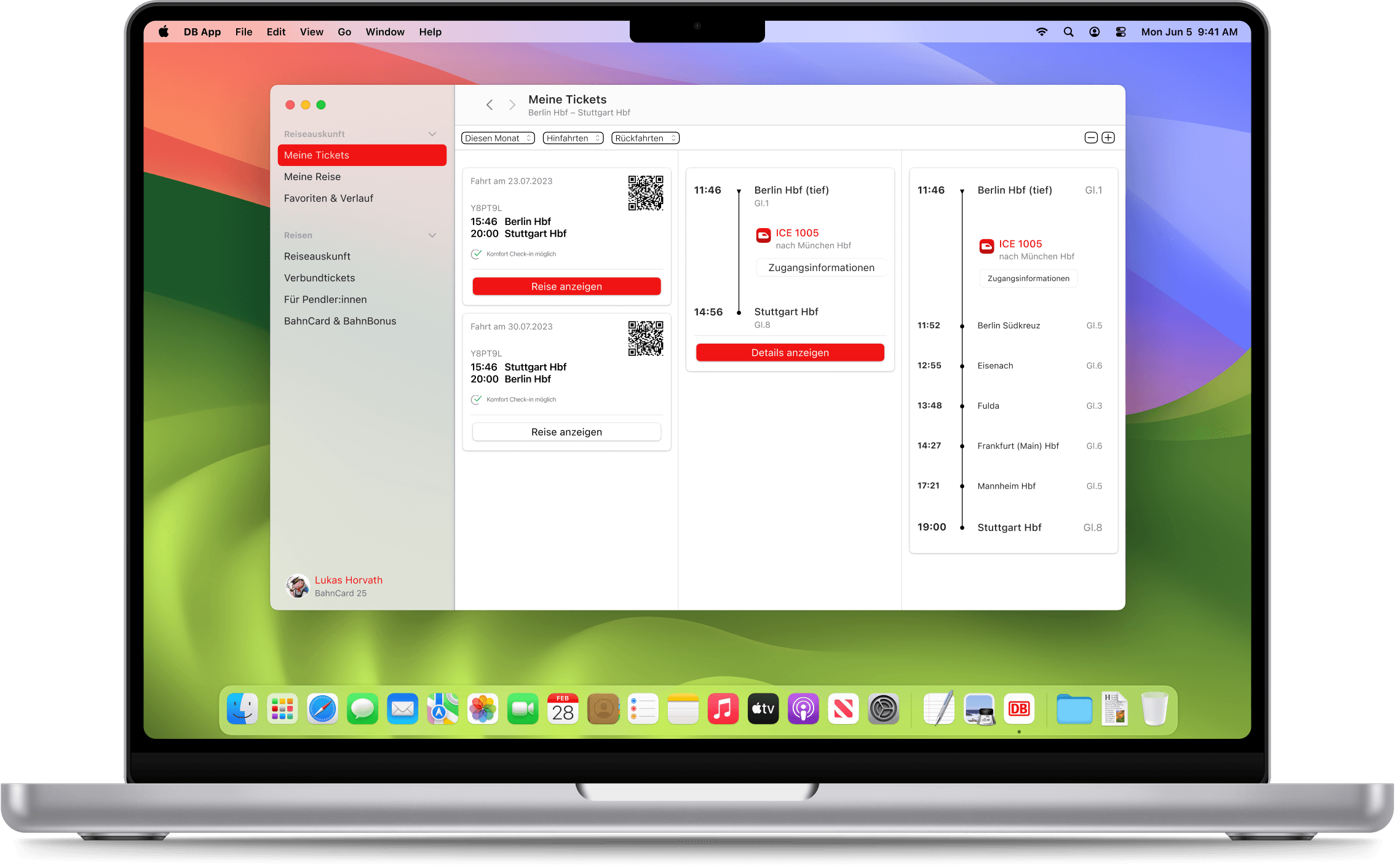
DB Navigator Reimagined for macOS
DB Navigator packs a lot into one app. Connection search, live updates, tickets, seat reservations, BahnCard, profile. The task for this student project was to take all of that and rebuild it as a native macOS app. Not just port the screens, but actually think through what changes when you move from a phone to a desktop. The interaction logic is different. The screen space is different. The way people sit and use the two devices is different. That gap between mobile and desktop is what this project is about.
Credits:
Project type
Student Project
Role
Student
Year
2023
Where
@ FH Potsdam
Research & Exploration
To understand how to design for macOS, I began by studying the evolution of desktop interfaces. I examined historical UI systems including classic macOS and Windows, compared them to today’s native desktop apps. This research helped me understand how interaction patterns and information hierarchy have developed over time and which elements are essential for a modern macOS experience.
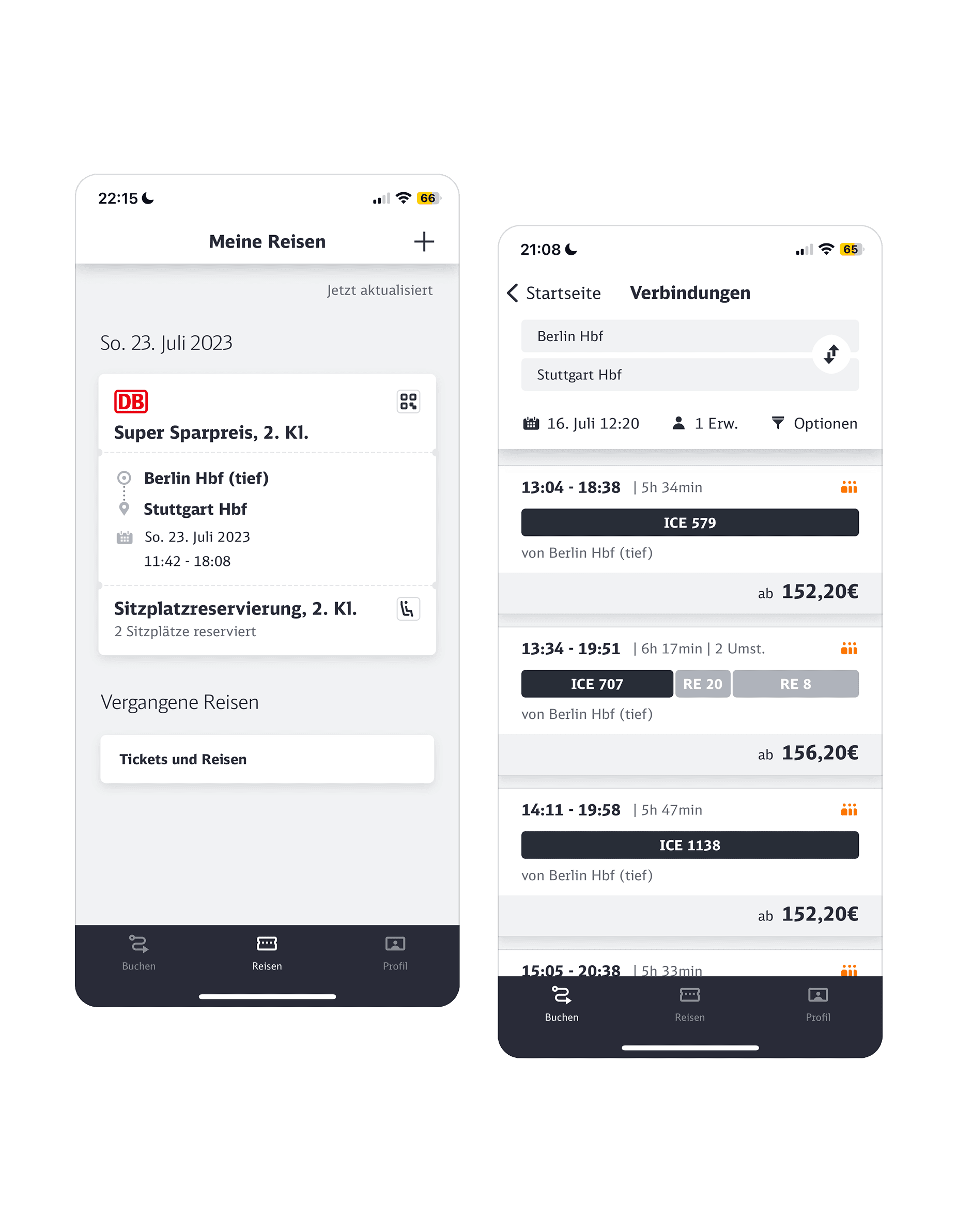
The DB Navigator iOS app as the starting point. Trip overview and connection search form the core use cases selected for the macOS adaptation.
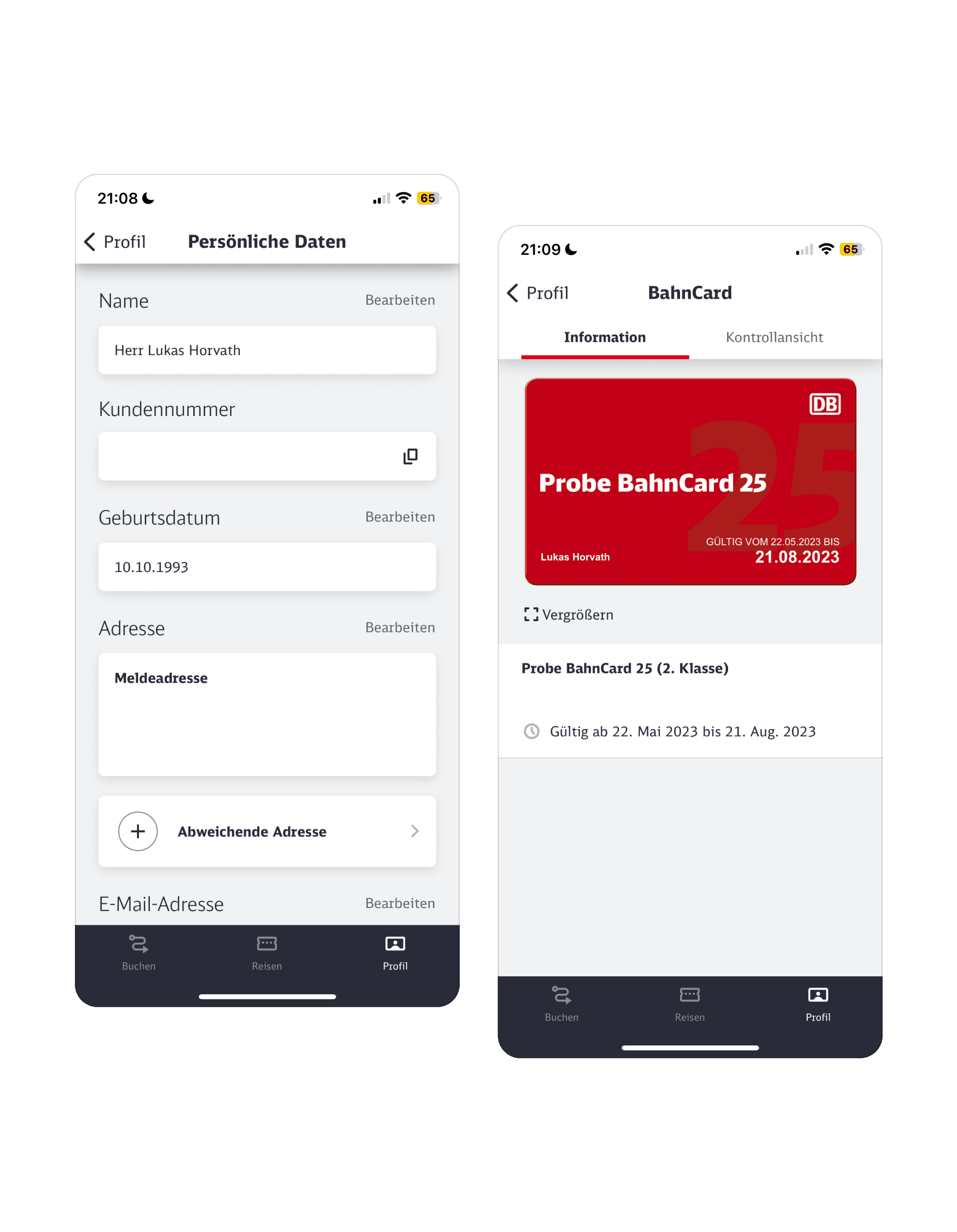
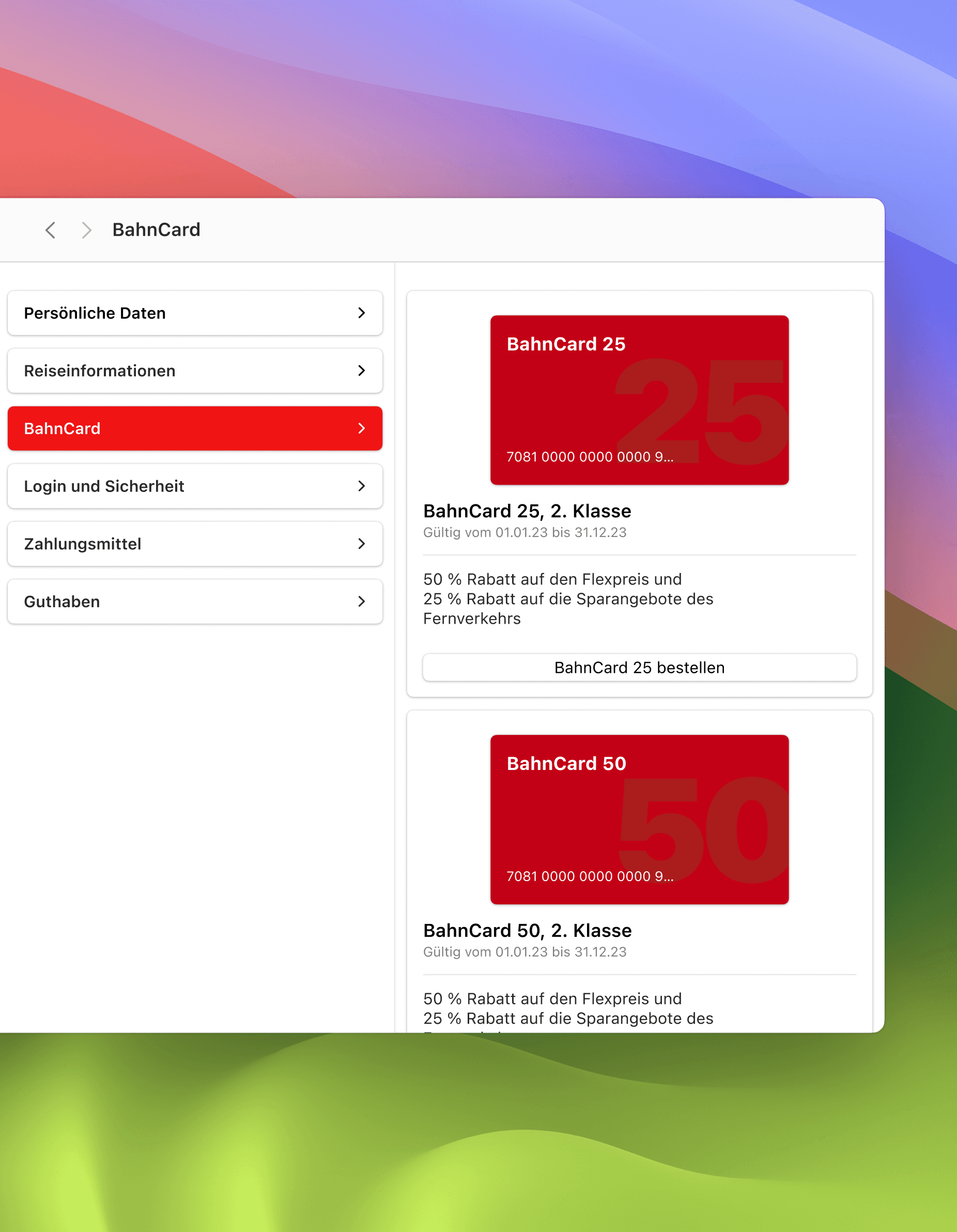
Profile management and BahnCard view in the iOS app. Dense, form-heavy screens that required rethinking for a wider desktop canvas and column-based navigation.
Design Approach
To understand how to design for macOS, I began by studying the evolution of desktop interfaces. I examined historical UI systems including classic macOS and Windows, compared them to today’s native desktop apps. This research helped me understand how interaction patterns and information hierarchy have developed over time and which elements are essential for a modern macOS experience.
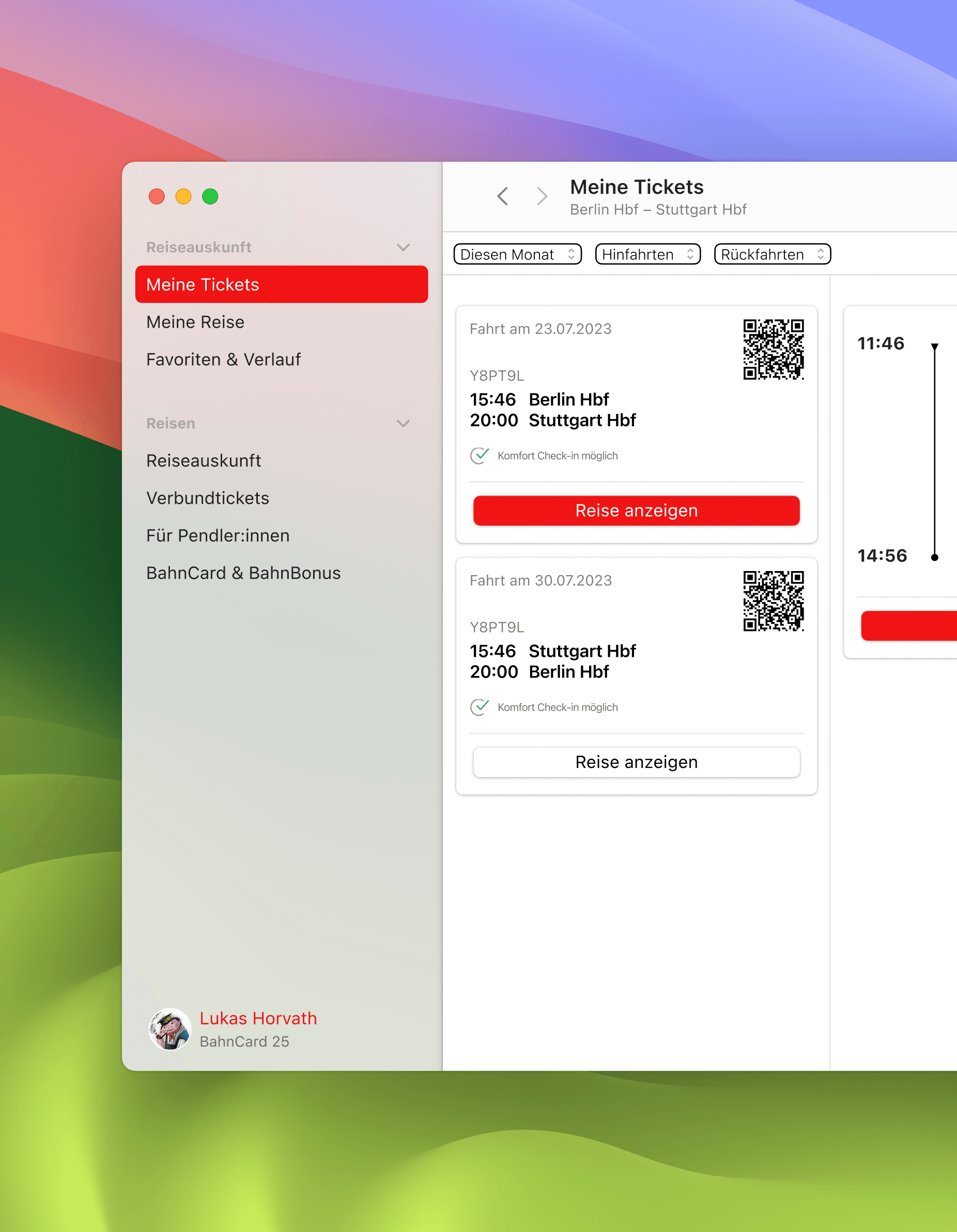
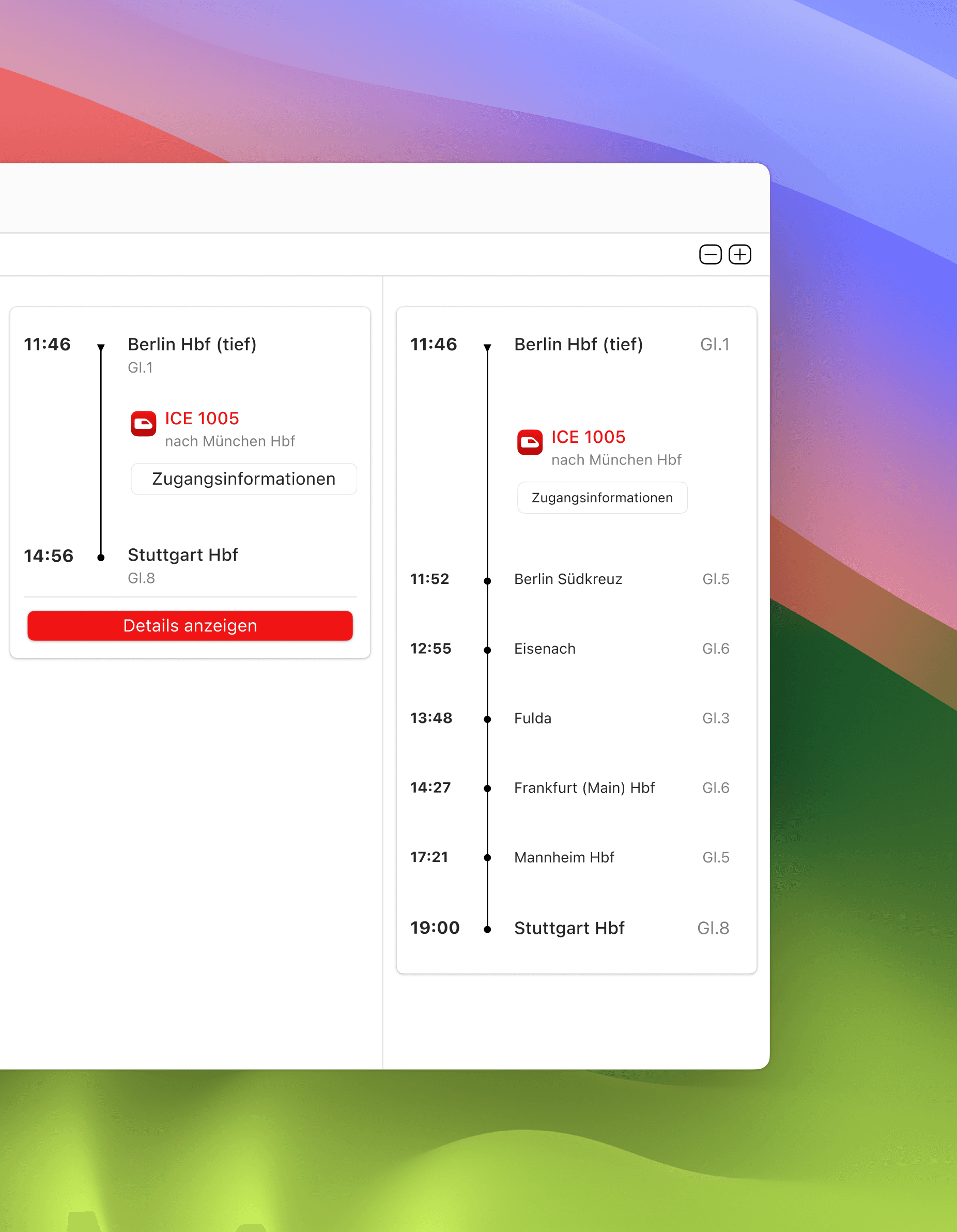
The Meine Tickets view uses a three-column layout that moves left to right, from ticket list to trip details to stop-by-stop breakdown. Each column adds a level of detail without replacing what came before.
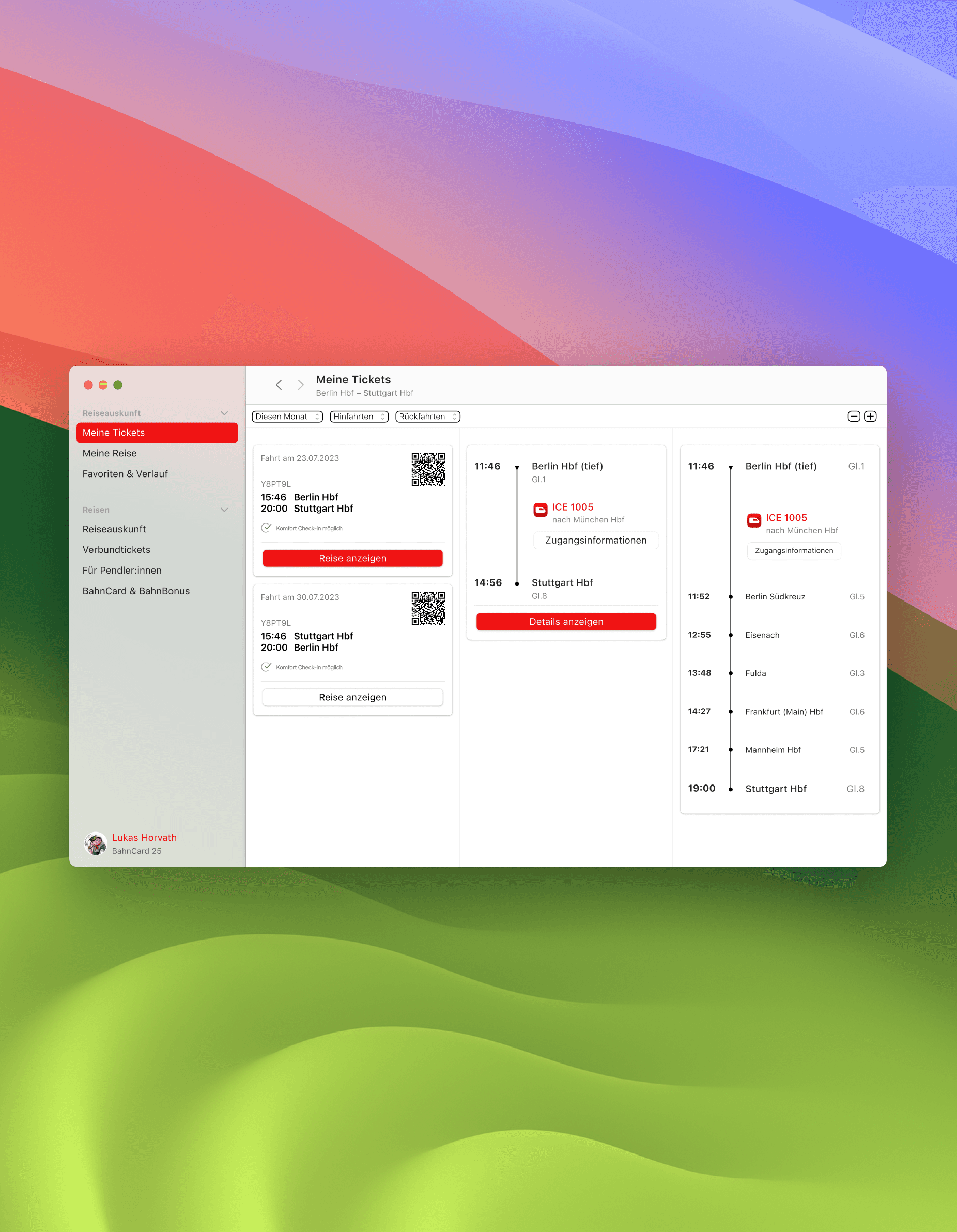
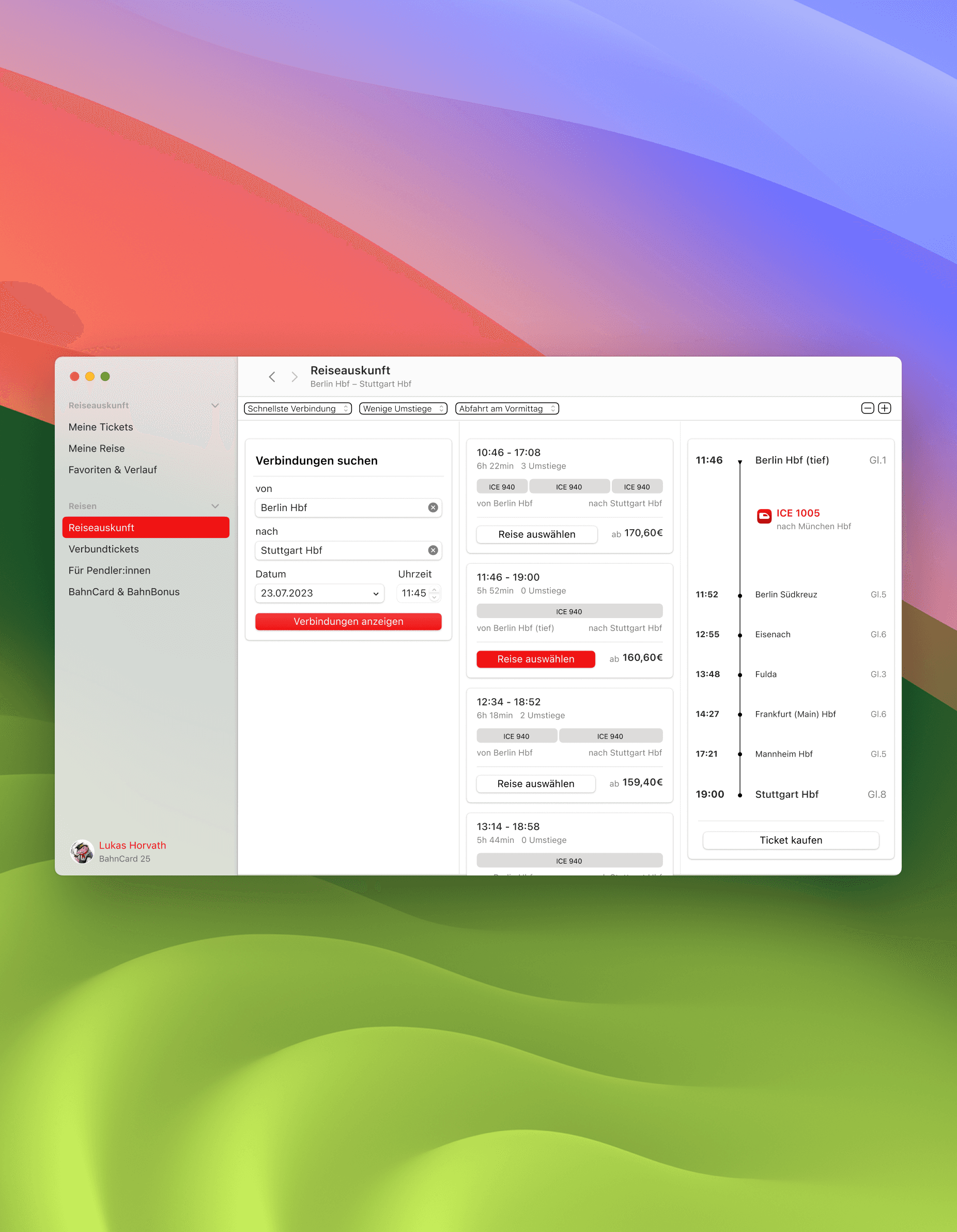
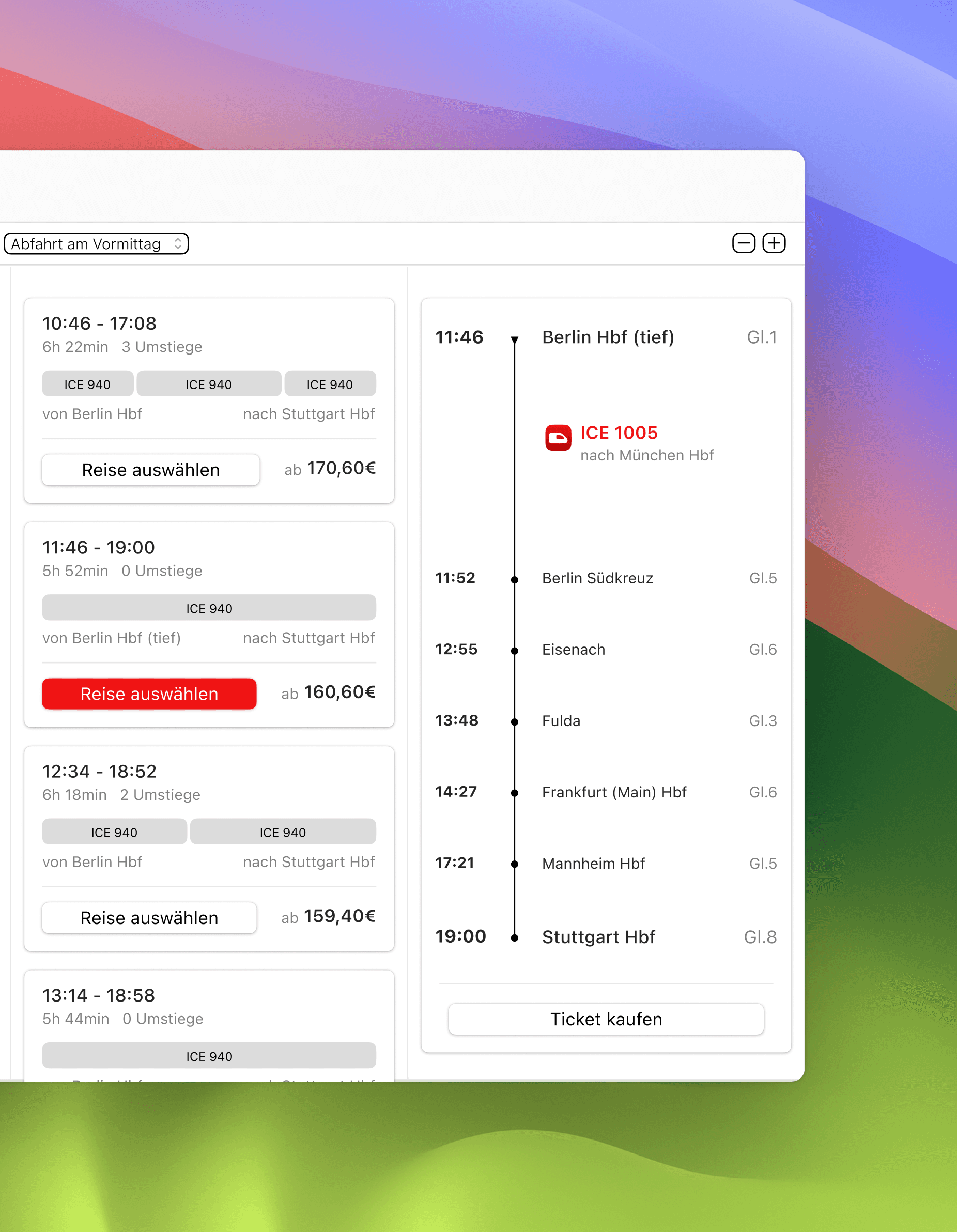
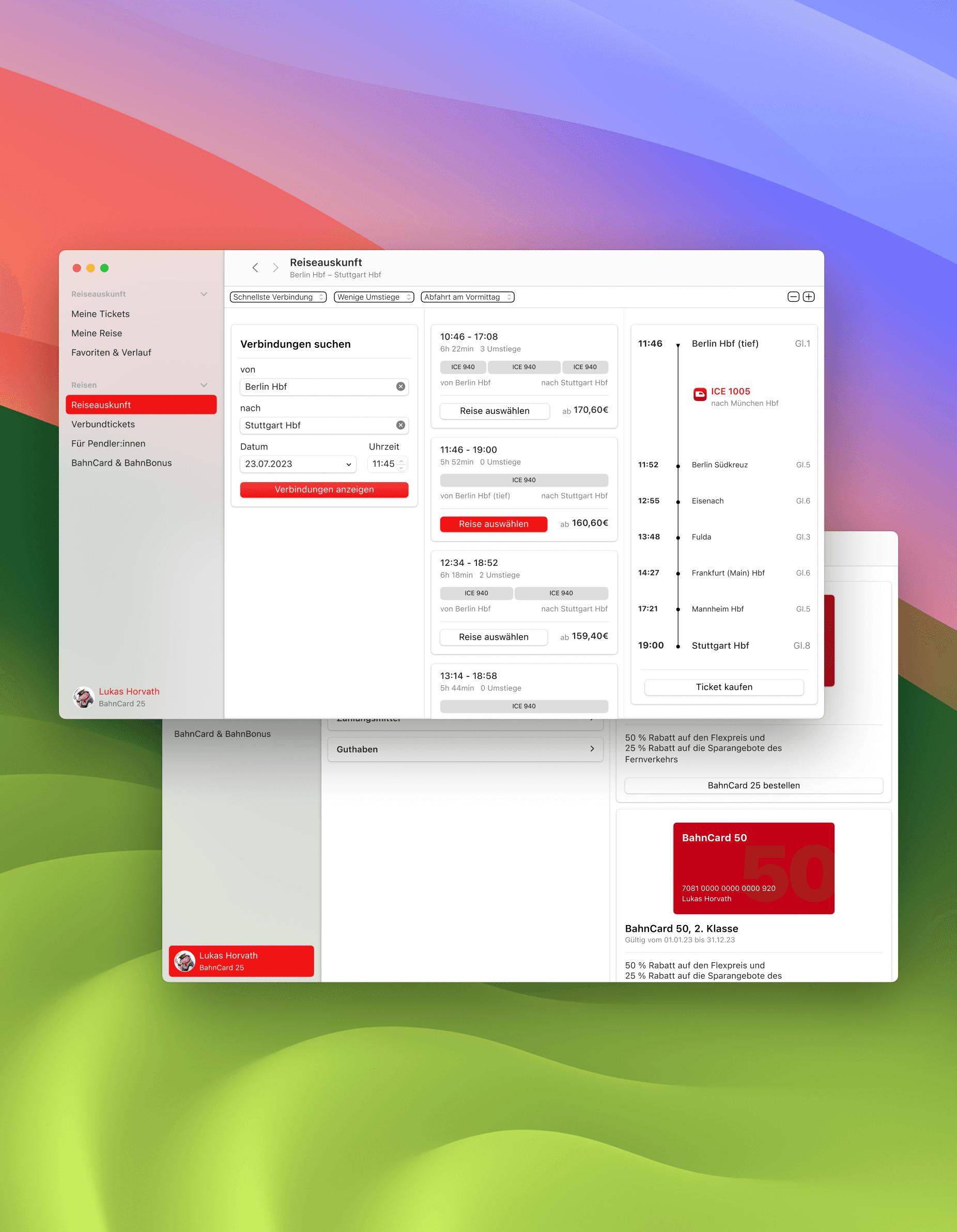
The Reiseauskunft view follows the same column-based structure. Search parameters on the left, results in the middle, stop-by-stop detail on the right. At every step of the booking process the previous context stays visible, inspired by the column navigation pattern of macOS Finder.
The profile section consolidates personal data, BahnCard details, payment methods and travel information in one place. A navigation list on the left gives quick access to each category, with the relevant content loading to the right without leaving the view.
Conclusion
This project marked my first deep dive into desktop interface design. I gained hands-on experience with adapting mobile patterns to desktop logic, understood macOS conventions more deeply, and sharpened my ability to critique and evaluate platform-specific UI decisions. It was a valuable step in broadening my perspective as an interface designer.