About the
Project
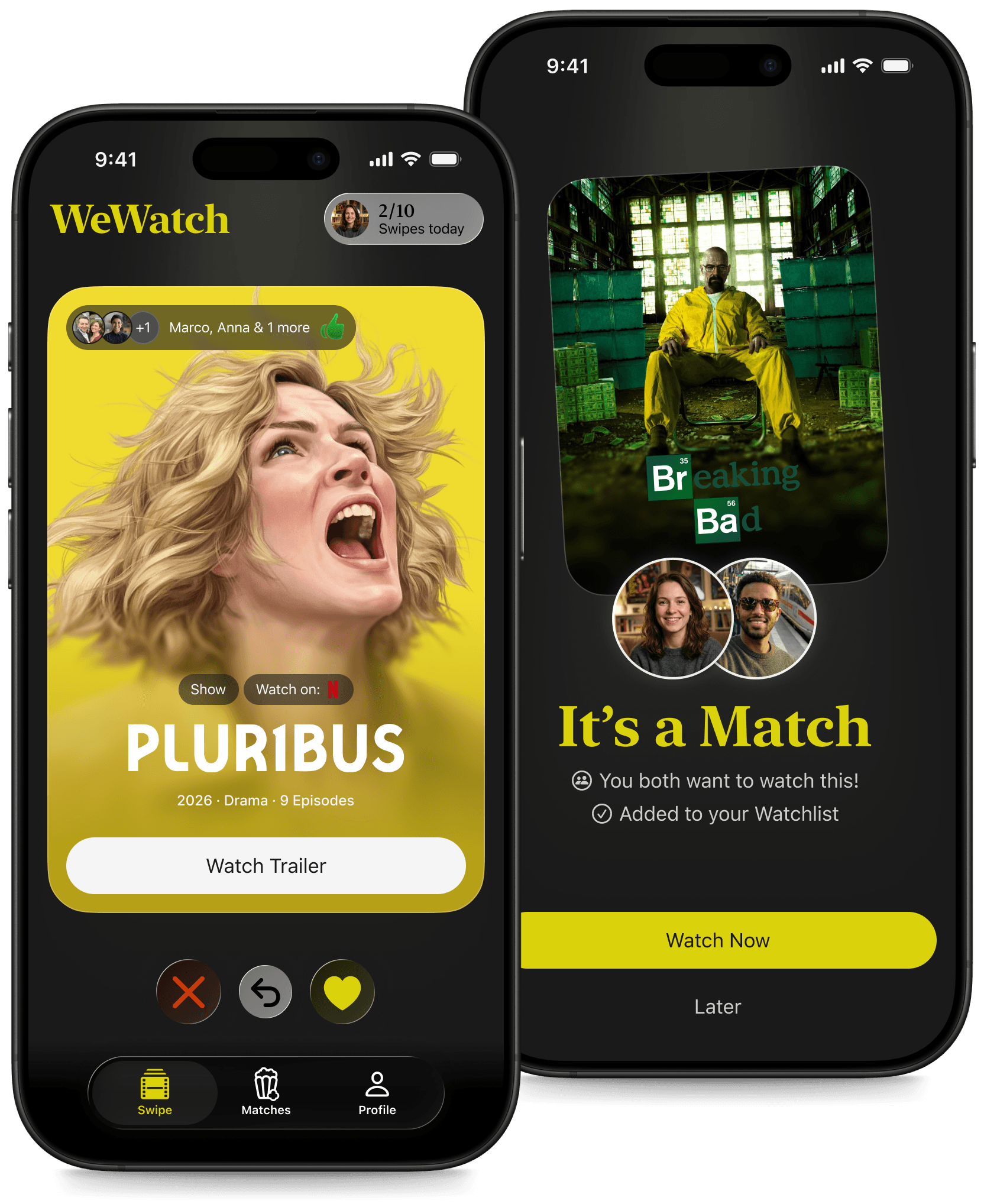
WeWatch: Swipe Together, Decide Faster
Couples spend an average of 20 minutes every evening just deciding what to watch together. WeWatch solves this with Blind Match Mode: both partners independently swipe through a curated daily selection, and the app only reveals titles they both liked. No negotiation. No compromise. Just a match.
This case documents the full design process from discovery research and user interviews through information architecture, high-fidelity prototyping, and usability testing with five participants.
Credits:
Project type
Product Design Case
Role
Product Designer
Year
December 2025 – March 2026
Where
@ Digitale Leute School, Remote
The Problem
It starts the same way every time. You sit down on the couch, someone asks "what do we watch?", and twenty minutes later nobody has decided anything. You've scrolled through three platforms, rejected each other's suggestions twice, and now one of you is just saying "whatever you want."
I wanted to know how widespread this actually was, so I ran a survey with 28 participants and conducted qualitative interviews. What came back was more systematic than I expected. 89% of respondents said they regularly abandoned the search out of frustration. 61% showed signs of decision paralysis, choosing something they'd already seen rather than risking a bad pick. And on average, couples were losing around 20 minutes per evening just to the decision itself.
Streaming platforms are built for individual taste profiles. They optimize for one person. The moment two people sit down together, the algorithm stops making sense, because the real problem isn't "what do I want to watch?" It's "what do we both want, without making it a negotiation?"
Research
I interviewed people across three segments that emerged from my affinity mapping: those who prioritized harmony and would rather default to a rewatch than argue; those who wanted control and felt patronized by algorithmic recommendations they didn't trust; and those driven by efficiency, who just wanted to decide and move on. Different motivations, same wall.
Three clusters emerged from the mapping. The first: decision paralysis driven by fear of wasting time, with 89% abandoning the search regularly. The second: app fragmentation, with 64% switching between two or three platforms every evening without finding anything. The third: social trust, with 17 out of 28 respondents saying personal recommendations from people they know matter more than any algorithmic score.
The insight that shifted my direction came from the interviews. I had assumed the core problem was information overload. Too many titles, too many platforms. That was only half right. The deeper issue was social: people were paralyzed not just by choice, but by the cost of suggesting something the other person might reject. The search had become a low-stakes negotiation that nobody wanted to lose.
A second insight reinforced this: people don't trust algorithms, they trust people they know. 17 out of 28 survey respondents said they actively seek recommendations from friends or trusted contacts before committing to a title. The algorithmic "98% Match" score that Netflix displays was consistently described as unconvincing. What people actually wanted was to know that someone in their circle had watched it and thought it was worth their time. That finding directly shaped one of WeWatch's core design directions: connecting real contacts inside the app, so that social proof becomes part of the discovery experience rather than something you have to chase across WhatsApp and group chats separately.
My primary persona Lena, 32, Marketing Manager, captured the harmony problem precisely. She arrives home exhausted, doesn't want to work at relaxing, and ends up watching Friends for the hundredth time because the decision felt safer than the discussion. My secondary persona Malik, 24, scrolls across four apps every evening, collects recommendations on Instagram and TikTok, loses track of them, and still ends up asking his group chat what to watch. Both of them needed a tool that brings trusted recommendations and shared decision-making into one place.

The key HMW question I landed on: How might we reduce the cognitive overload of choosing a film or series together, so that couples find a shared decision effortlessly and without stress?
Design
Moodboard & Visual Direction
Before touching layout or components, I defined the visual language. The moodboard draws from cinema: dark, high-contrast imagery, warm accent tones, the feeling of a room lit by a screen. The color system is minimal on purpose. Near-black (#0D0D0D) as the base, a single popcorn yellow (#F5C518) as the accent, white for primary text. Nothing competes with the film poster. The typography pairs SF Pro for UI elements with New York for headlines, combining a functional system font with an expressive serif that carries the cinematic weight. This wasn't a mood choice. It was a positioning decision: WeWatch should feel like going to the movies, not like opening a spreadsheet.
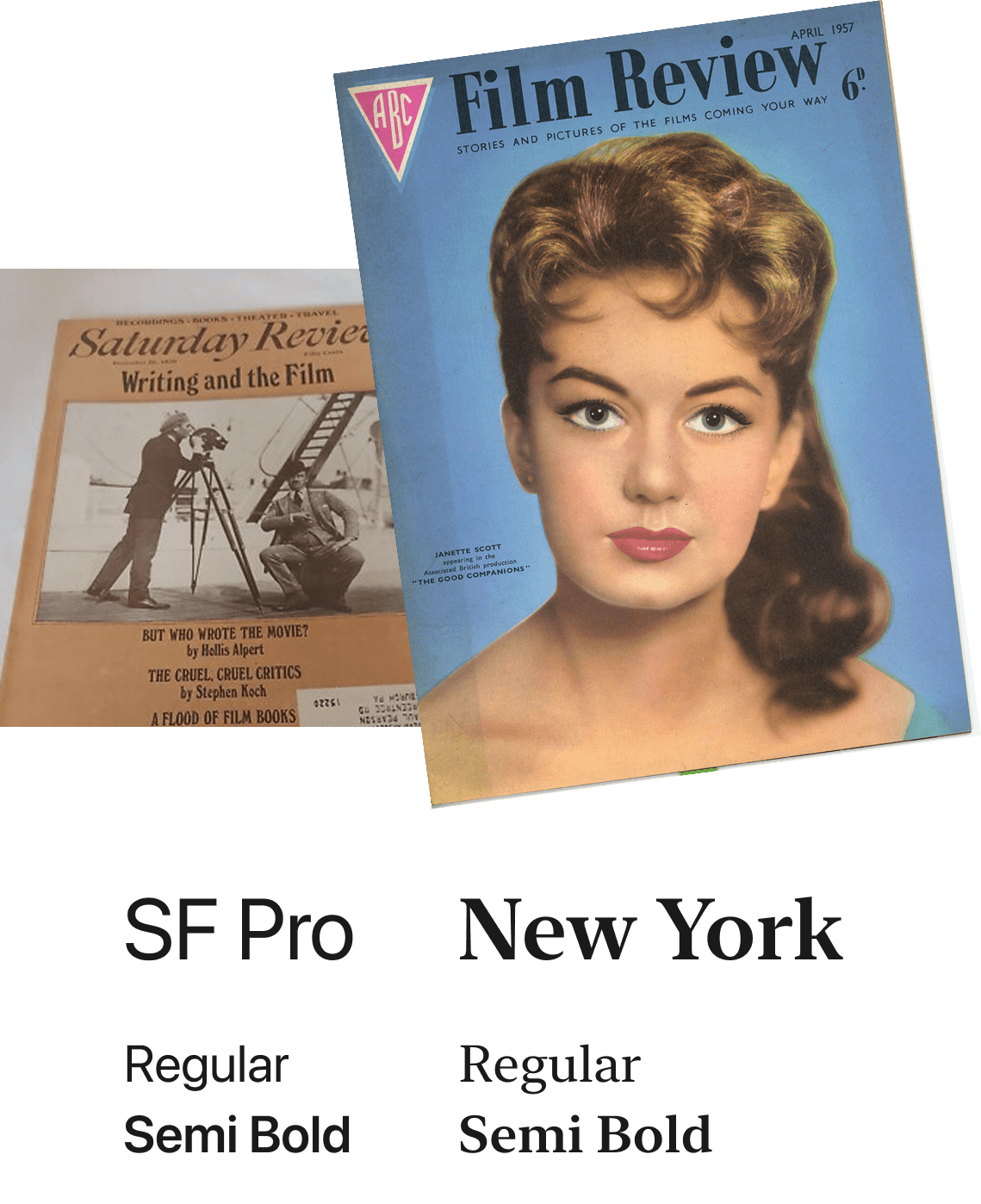
New York serif for headlines, inspired by film review editorial typography. SF Pro for all UI copy — system-native, always legible.
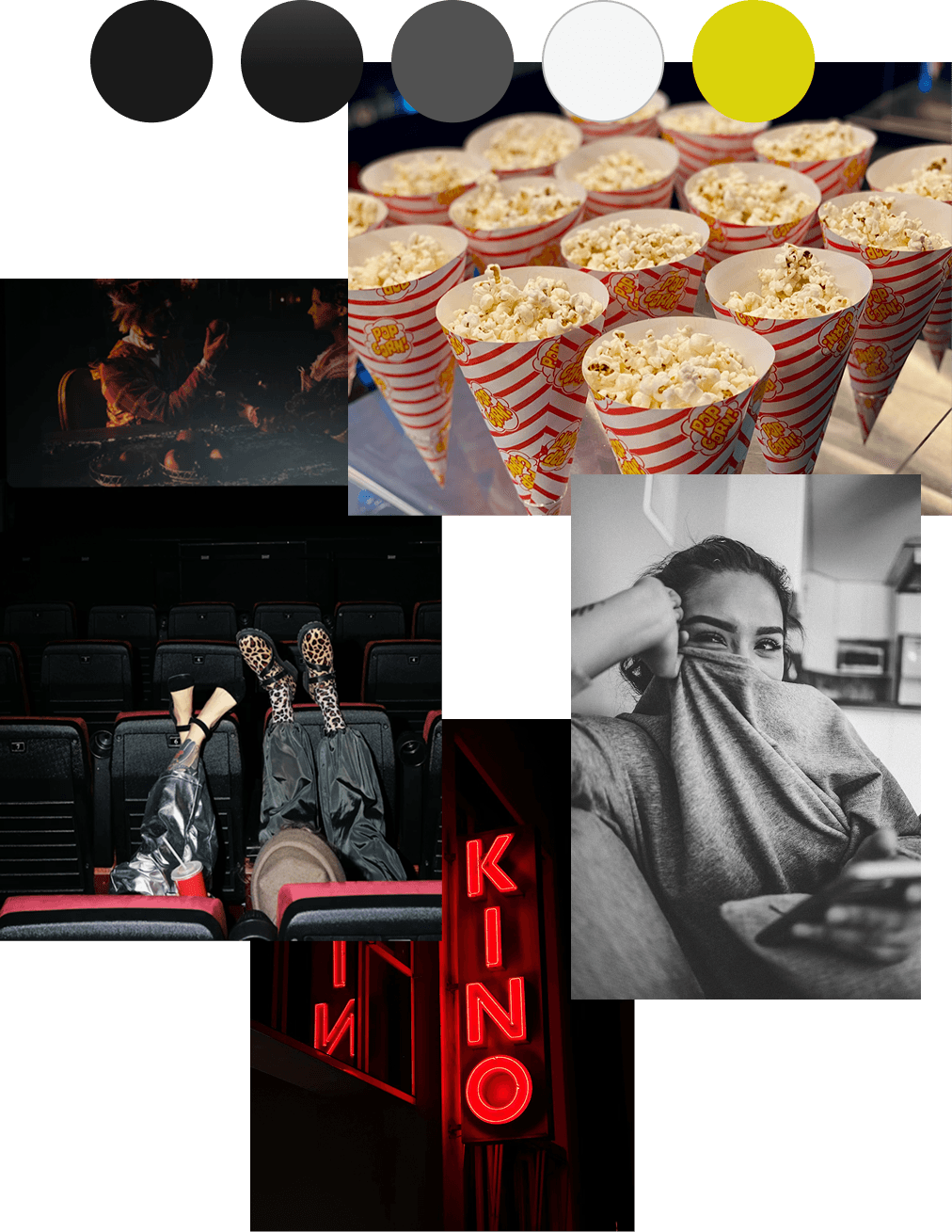
Dark auditorium, popcorn yellow as the single accent. The palette comes straight from the cinema.
Lo-Fi Wireframes
The first wireframes focused entirely on structure and flow. Five screens: Swipe, Match Celebration, Watchlist, Detail View, Profile. User flow arrows connected each state explicitly, including the edge cases: what happens after a match, what "Später" triggers, how the detail overlay closes. Already at this stage I embedded the social proof layer directly into the detail view, with friend emoji-ratings visible before making a watch decision. That wasn't decoration. It was the research finding made tangible in the earliest possible form.
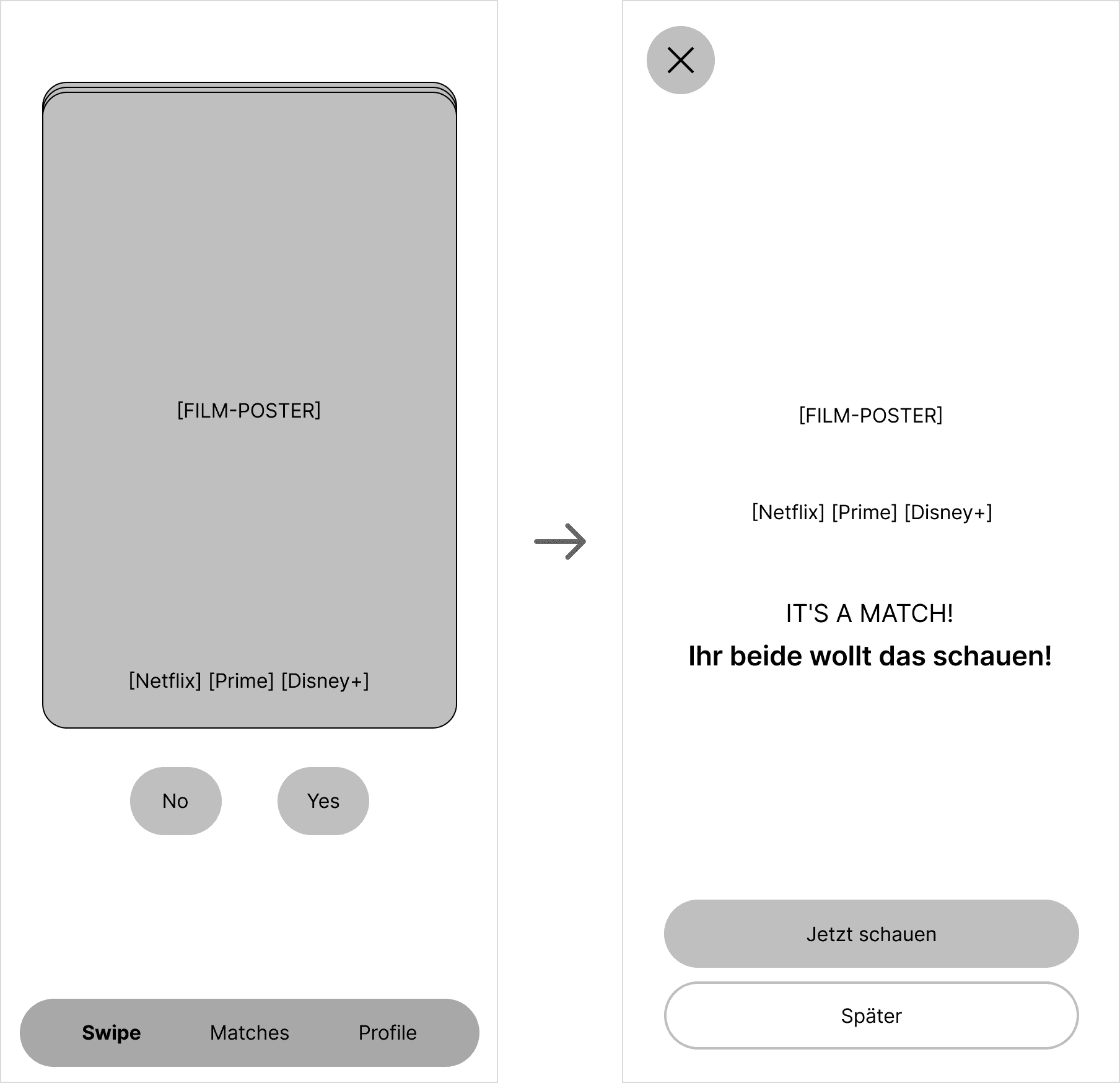
Swipe to Match: a right swipe triggers the match state. The core mechanic mapped in the first wireframe.
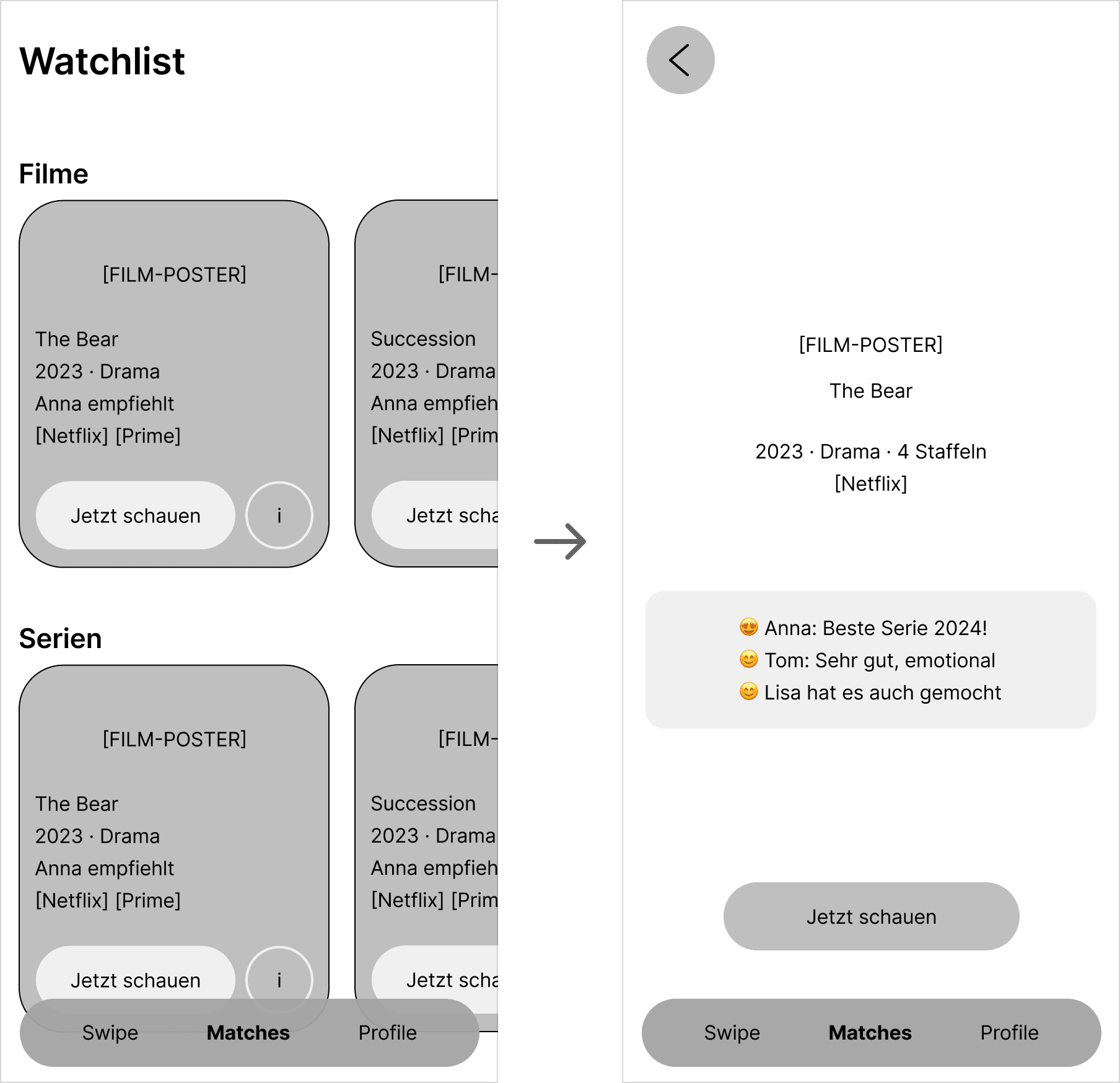
Matches grouped by Films and Shows, detail view with friend ratings already visible. Social proof embedded from day one.
Navigation & Layout
The grid system uses 4 columns, 16px margin, 16px gutter, 8px base unit. Navigation components were designed before the screens, establishing the tab bar, icon system, and interaction states as reusable elements. This forced early decisions about what the three core areas of the app actually are and kept the structure consistent across every screen that followed.
Mid-Fidelity
Mid-Fi introduced real visual weight: the dark background, the yellow accent, actual film posters as placeholders, and the first version of the swipe card. The onboarding flow took shape here across four connected screens: Welcome, Partner Invite with QR code, Waiting state, and Connected confirmation. The Match Celebration Screen appeared for the first time as a distinct full-screen moment, though its visual differentiation from the swipe card was still not strong enough — a problem that usability testing later confirmed.
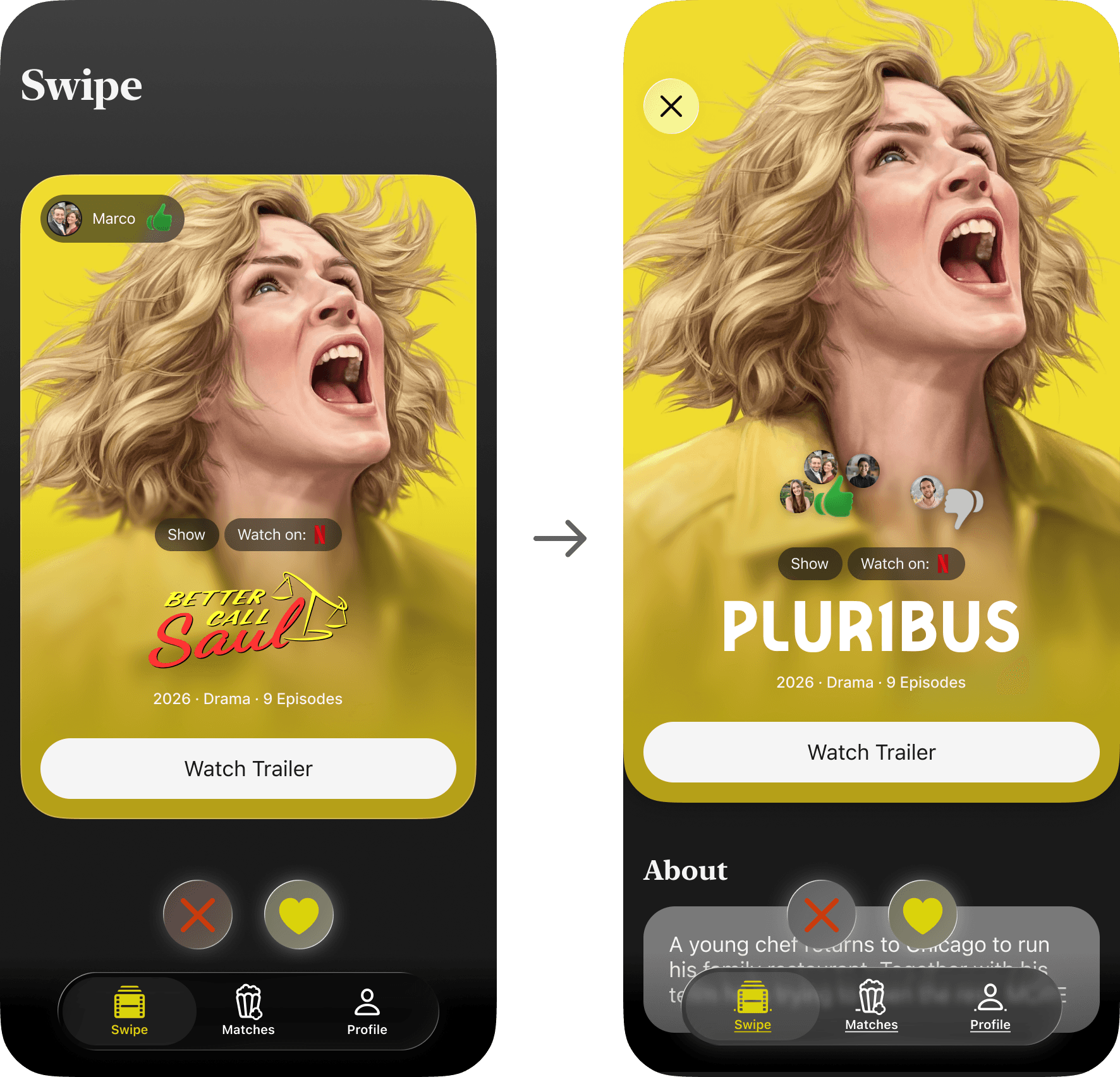
First version of the swipe card with real film poster. A tap on the card reveals the detail view with the About section.
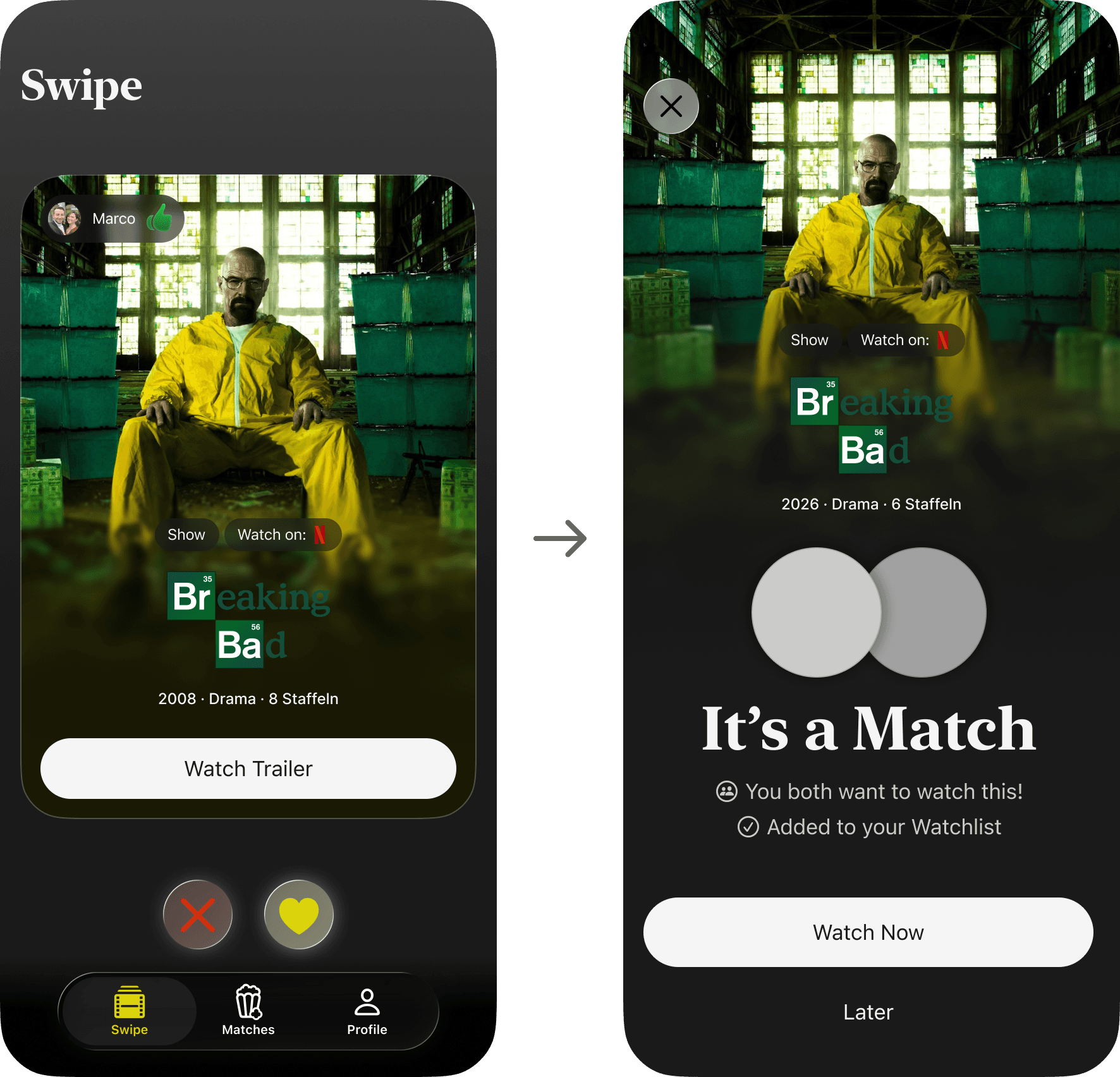
Swipe right triggers the Match Celebration screen. Visually still too close to the swipe card, a problem confirmed in testing.
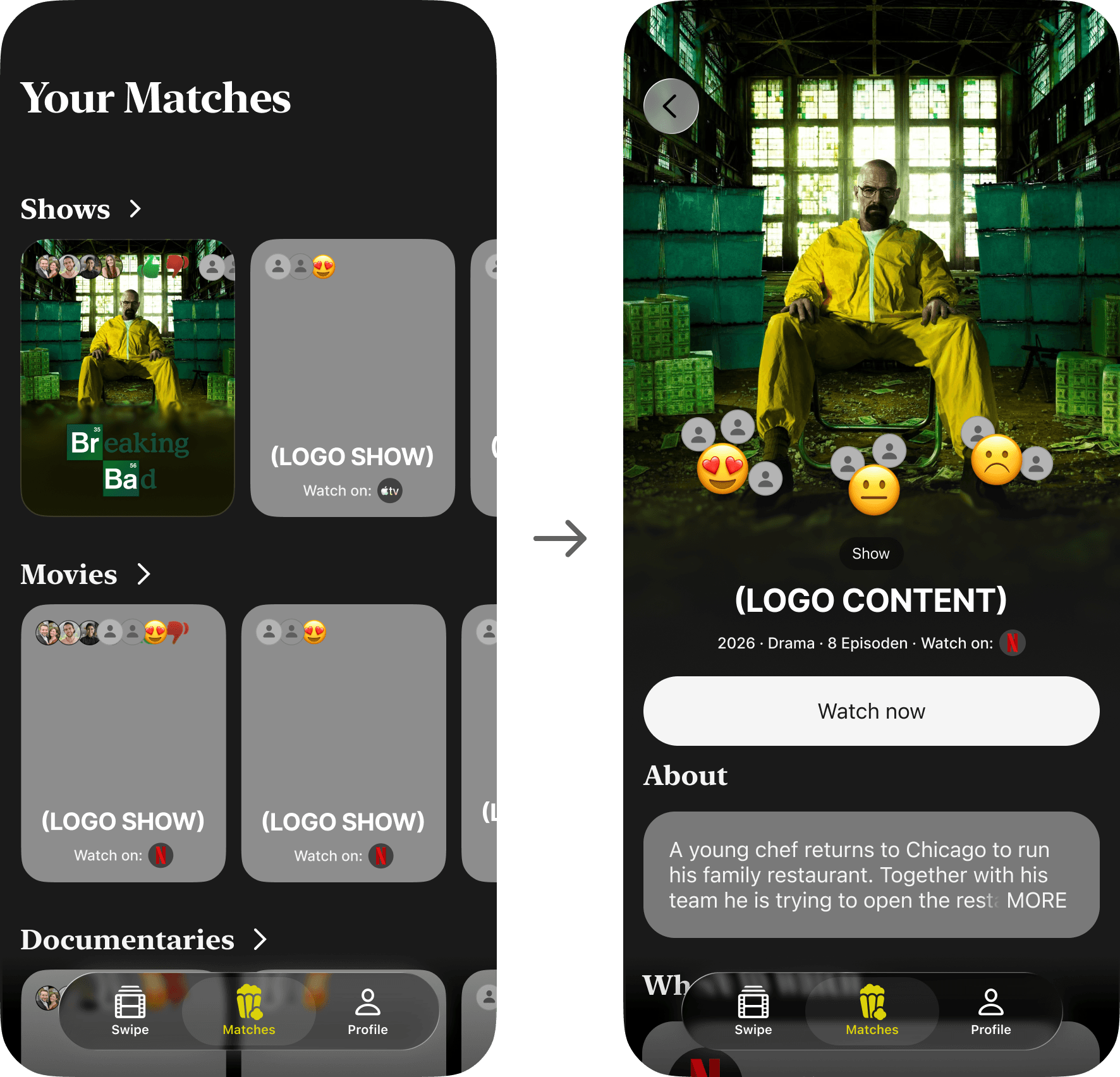
Matches view grouped by Shows, Movies and Documentaries. Content Detail with Watch Now CTA and social ratings.
Design System
The system is organized into six sections: Color, Buttons, Typography, Icons, Components, and Hi-Fi. The color tokens are minimal and intentional. The swipe card component is the most complex element, handling poster imagery, platform badges, friend rating avatars, and the action buttons as a single composable unit. Building it as a proper component meant every iteration in Hi-Fi stayed consistent without manual fixes across screens.
High-Fidelity Prototype
The final prototype covers the complete end-to-end flow: Onboarding, Service Pick, Title Pick, Partner Invite via QR code, Swipe with left and right gestures, Match Celebration, Matches view, Content Detail with About, Where to Watch and Cast sections, Profile, Friends Invite, and the final handoff to the streaming service. Partner progress is shown in the Profile, not on the Swipe screen — a deliberate decision to keep the swipe experience focused on the title, not on what your partner is doing. The film posters do the visual heavy lifting throughout, which is exactly what a product about watching things should let them do.
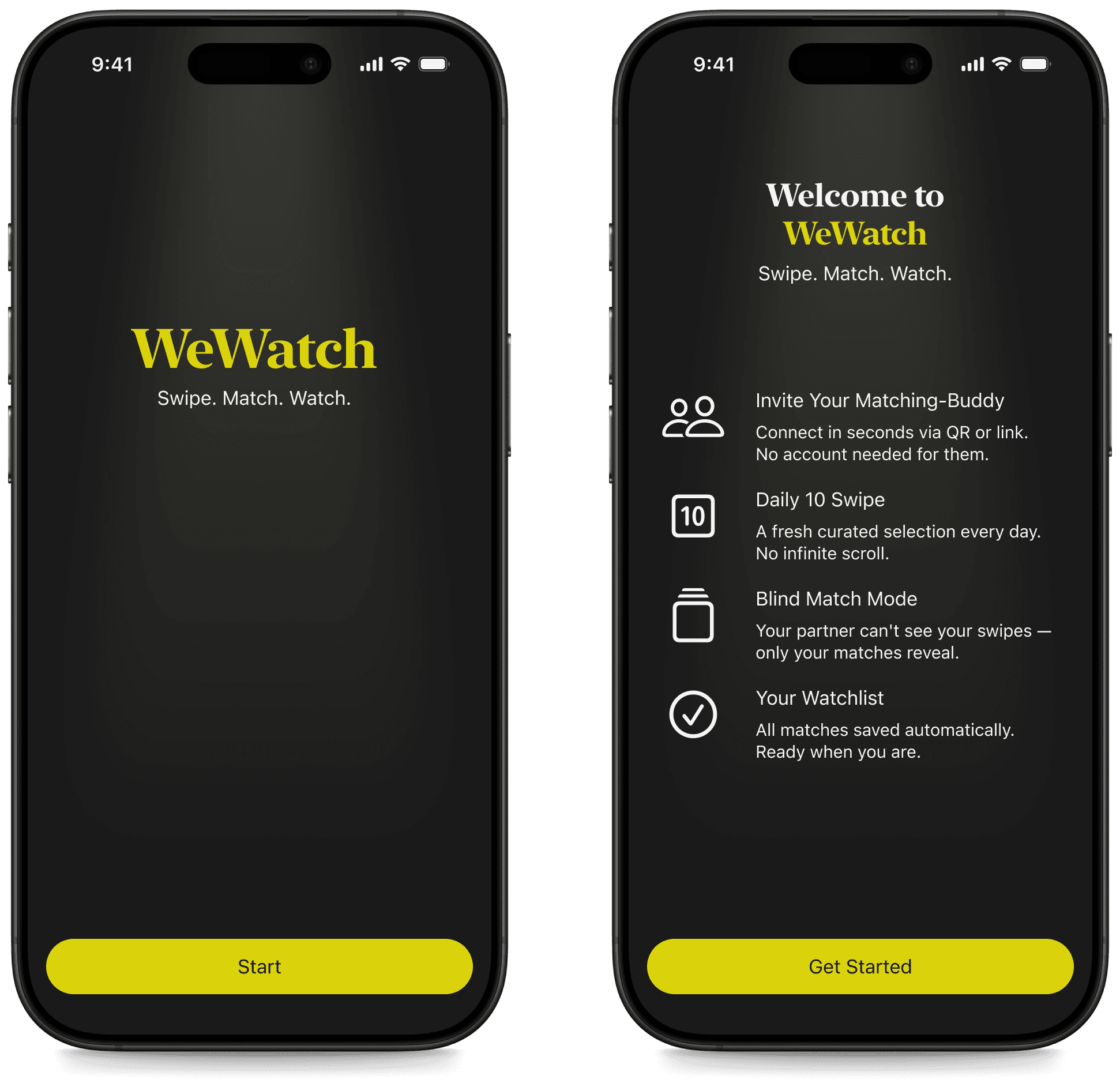
Onboarding: WeWatch intro and feature overview. Partner connects via QR or link.
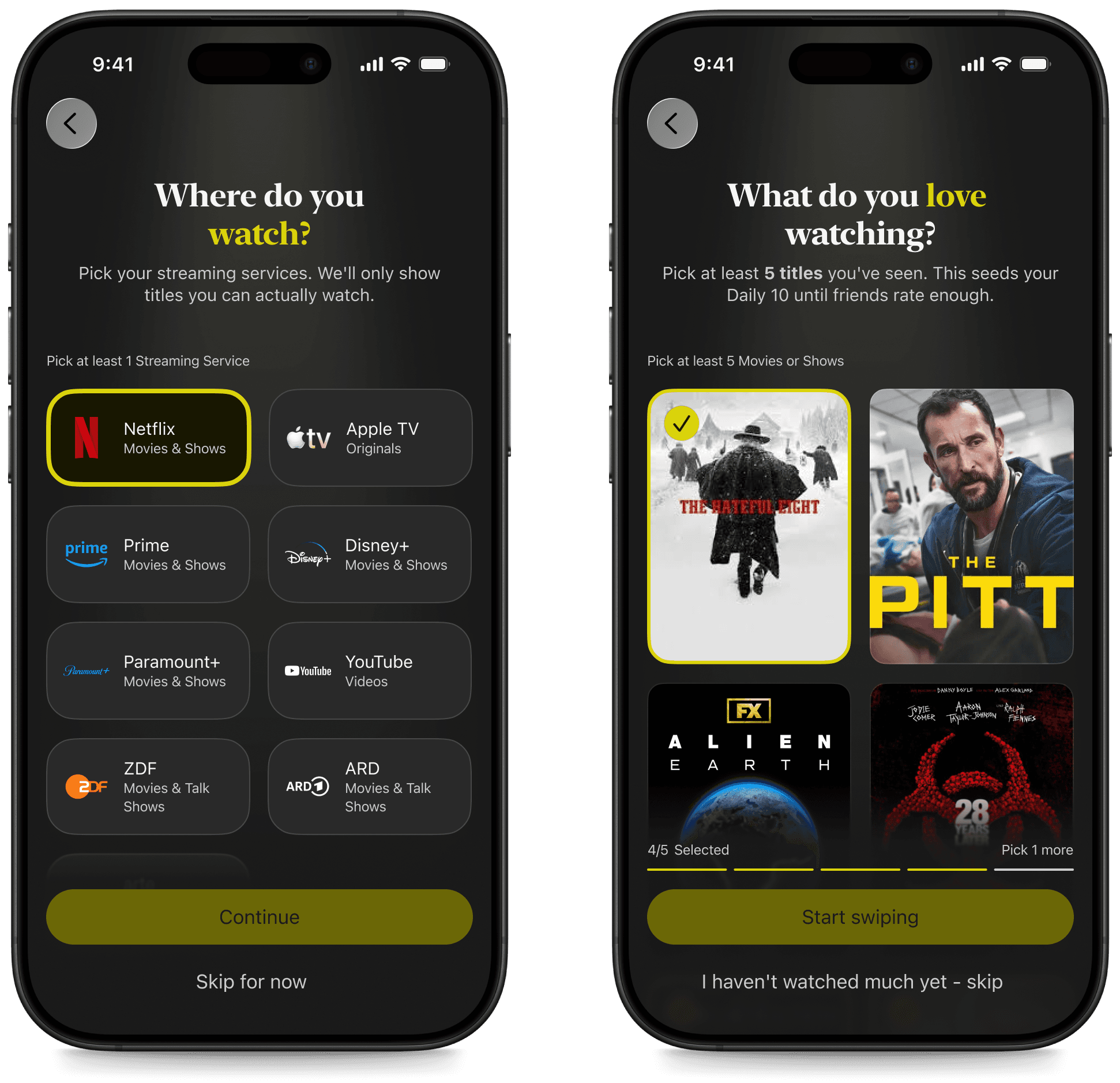
Streaming service selection and Title Pick onboarding. WeWatch only shows titles available on your platforms — the Title Pick seeds the Daily 10 algorithm until friends rate enough content.
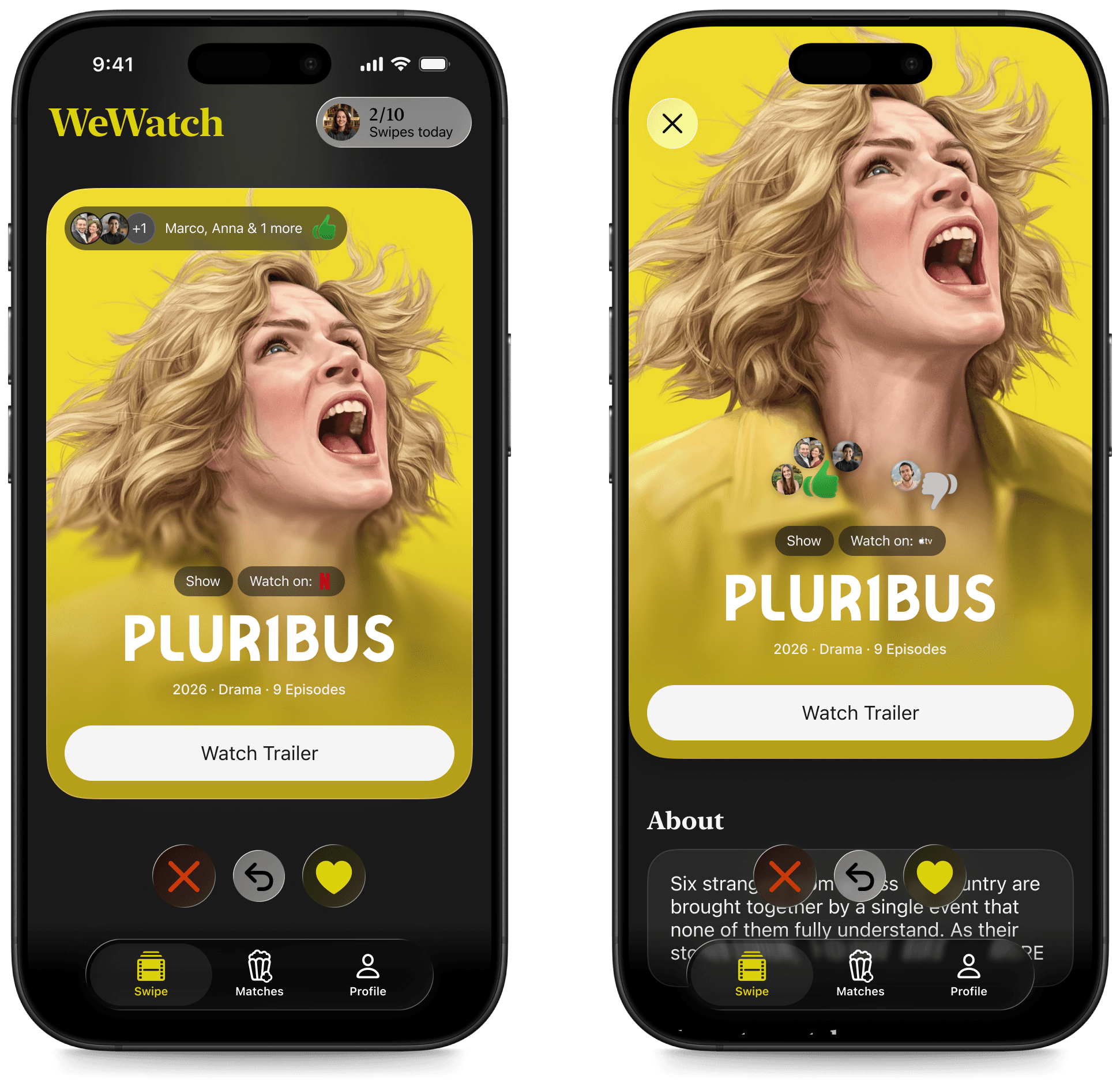
Swipe screen with friend ratings top-left and Daily counter top-right. Detail view accessible directly from the card.
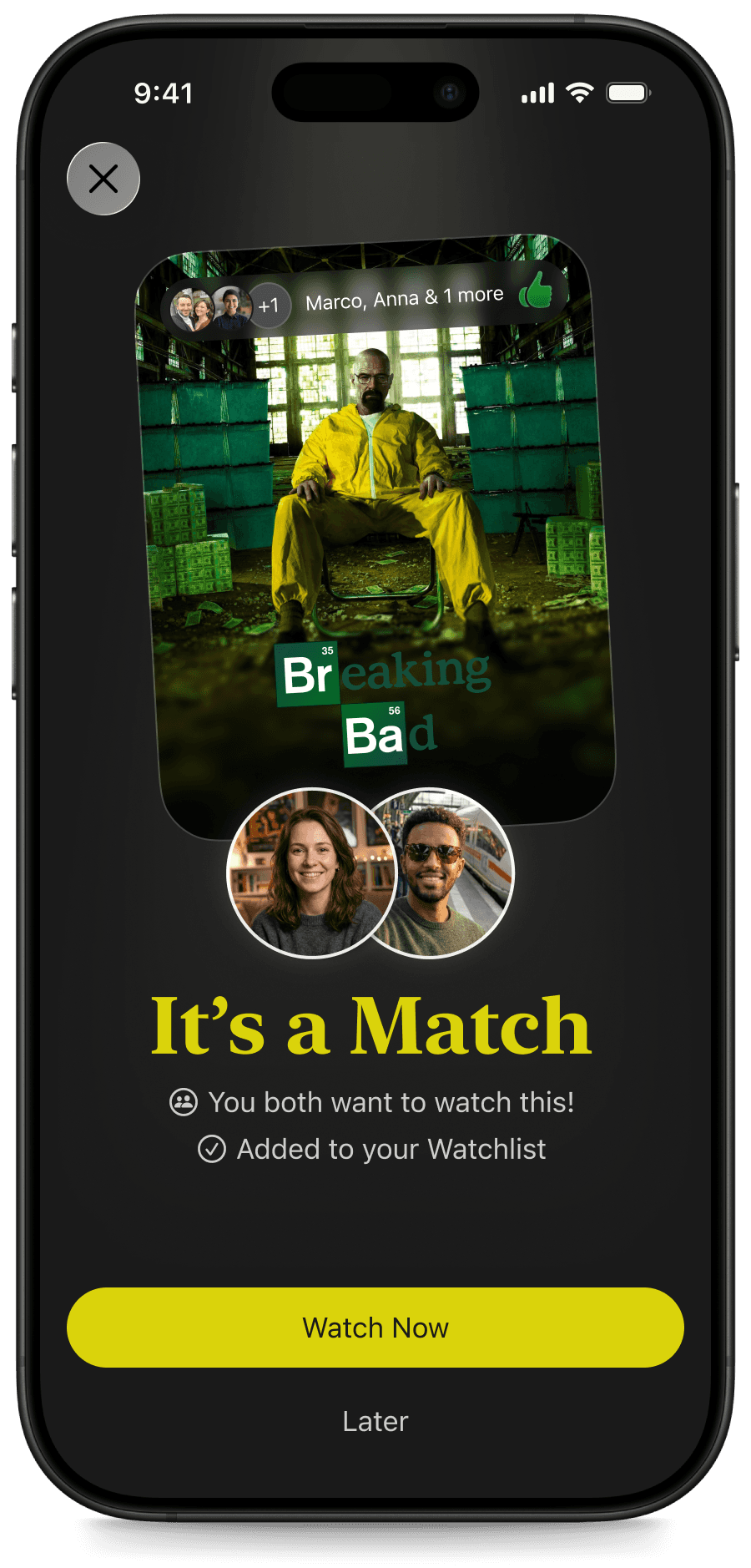
The match content animates in as a card, highlighted by a light beam sweeping top to bottom. Visually distinct from both the swipe screen and content detail. Both partner avatars, Watch Now CTA, and Later option. The emotional peak of the product.
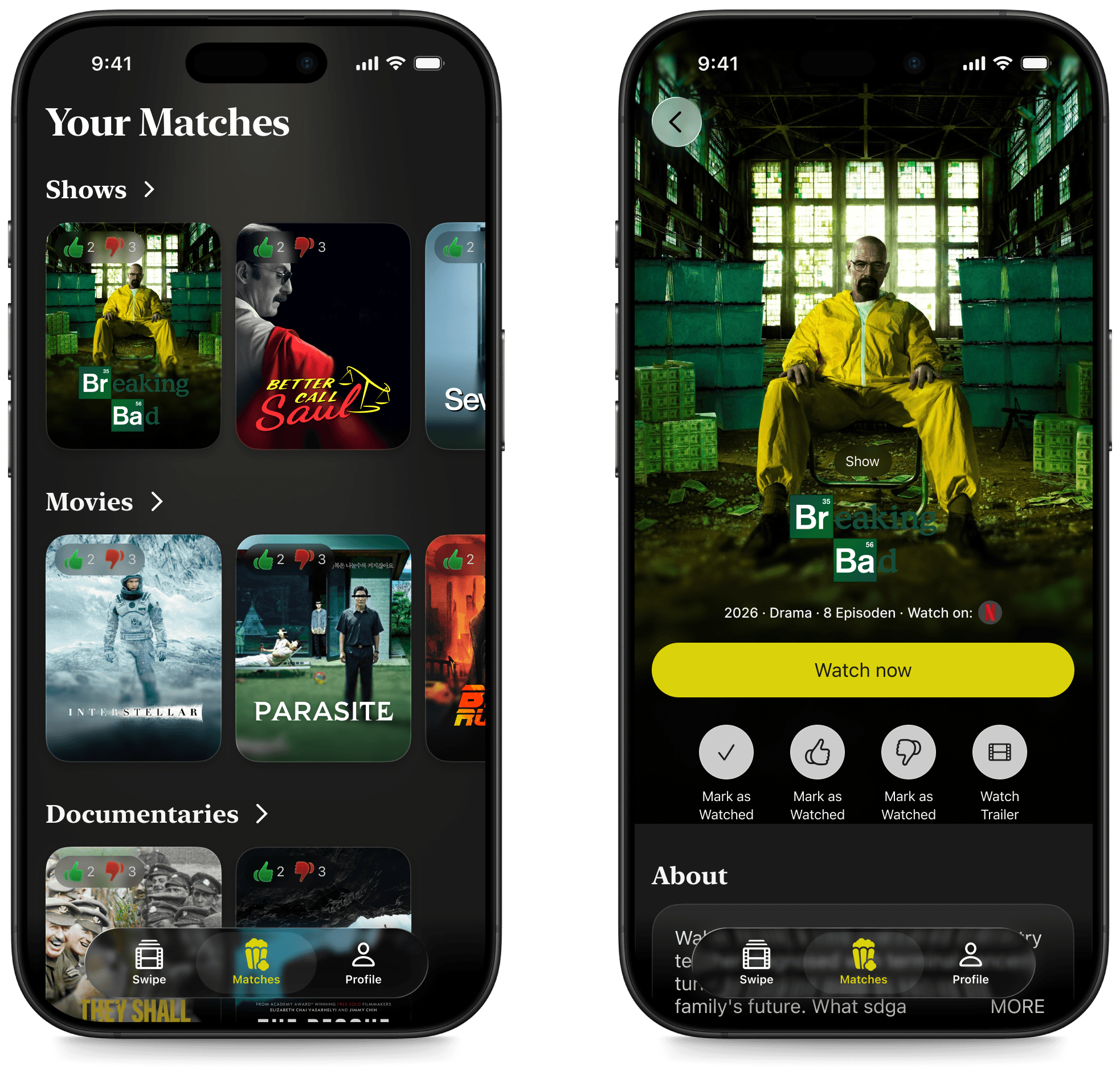
Your Matches grouped by Shows, Movies and Documentaries. Content Detail with About, Where to Watch, and Cast.
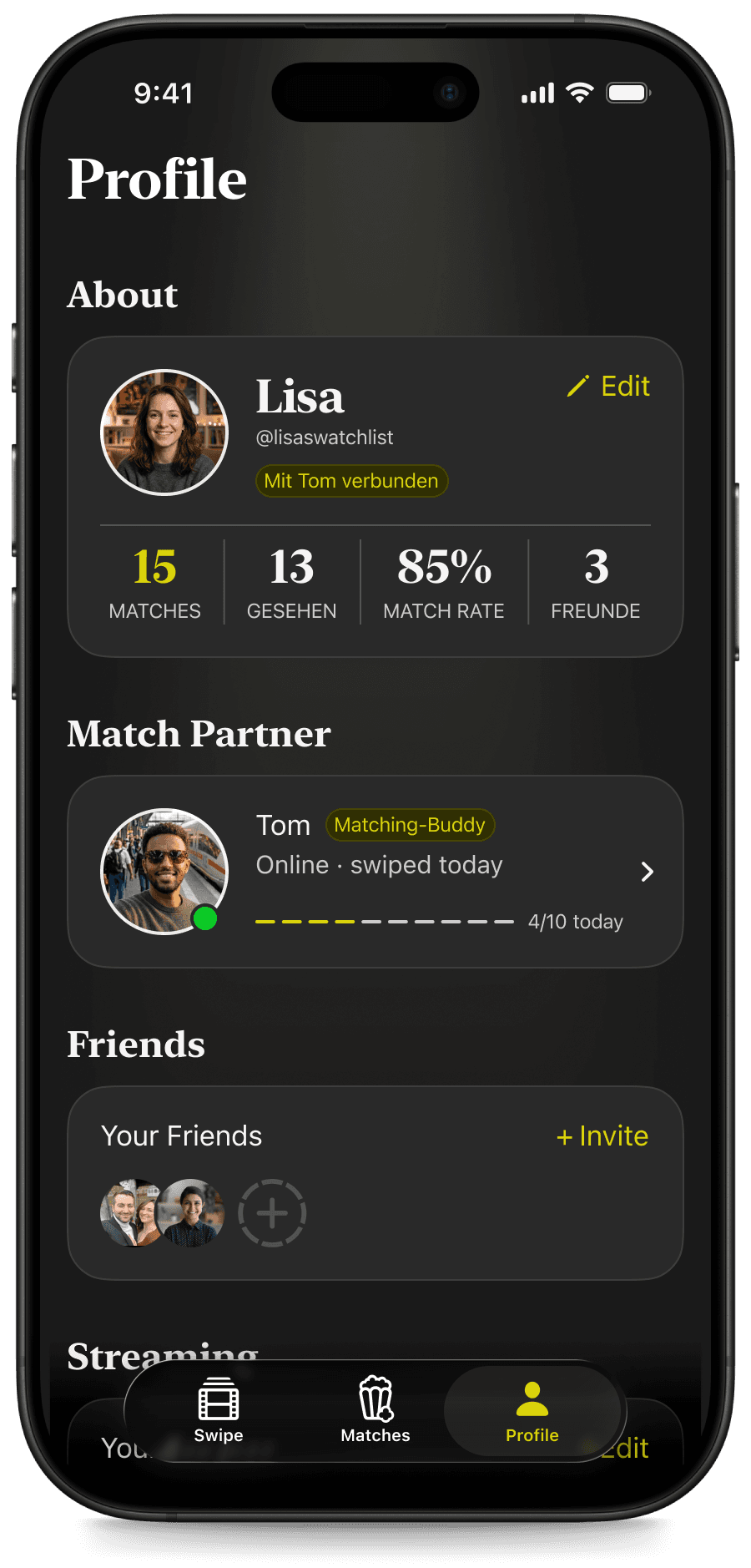
Profile shows personal stats, Match Partner progress, Friends, and Streaming services in one place.
Usability Testing
I tested the prototype with five participants using a think-aloud method. The test goal was clear: can users navigate from onboarding through to starting a title from the Matchlist without assistance?
The swipe flow worked. Everyone moved through it confidently. What failed was the card flip. I had designed it as the way to access detailed title information, keeping the swipe interface clean. In practice, multiple participants swiped through all ten cards without ever discovering it existed. That was a discoverability failure, not a comprehension failure. Hidden interactions aren't a clever design pattern. They're a friction point.
The Match Celebration Screen had a related problem. I had designed it as the emotional peak of the product, the moment the whole mechanic pays off. Participants didn't register it as special. It looked too close to the regular detail view. One participant thought she was still in the swipe screen. A match needs to feel like one.
The finding I didn't expect was about copy. One participant paused at "Stop Arguing, Start Watching" on the opening screen. She didn't say anything, but the hesitation was visible. A line I wrote as playful read as confrontational to someone who wasn't already sold on the concept. Copy is UX. Every ambiguous sentence in an onboarding is a potential exit.
Key changes after testing: explicit card detail trigger instead of relying on discovery, stronger visual differentiation for the Match Celebration Screen, revised copy throughout onboarding, and friend avatars added to the title pick step to address confusion between partner and friend roles.
Learnings
The swipe mechanic was understood immediately by every participant. The QR code partner invite worked without explanation. The tab navigation was intuitive. The Blind Match concept landed clearly. The foundation is solid.
What testing changed wasn't the core mechanic — it was the surface layer around it. Copy, visual feedback, emotional pacing. The card flip taught me that elegant hidden interactions only work if you earn the user's curiosity first. The Match Celebration taught me that the most important screen in a product needs the most visual distance from everything around it.
What I'd do differently: invest more in microcopy earlier in the process, and prototype the emotional moments — match, celebration, first swipe — before the structural ones. Structure is easy to test. Feeling is harder, and it matters more than I initially gave it credit for.
The version I want to build next knows which streaming services both partners subscribe to and only surfaces titles they can actually watch. The Match Celebration gets a Lottie animation and a direct deep link. The Friends flow, already designed in the prototype, gets fully connected so that social proof from real contacts powers the Daily 10 from day one. None of that changes the core idea. It just makes it ready for real couples, on a real couch, on a real evening.