DB MacOS App
Interface Design
2023
@
FH-Potsdam
Project type
Student Work
Role
Student

Scroll
DB MacOS App
Interface Design
2023
@
FH-Potsdam
Project type
Student Work
Role
Student

Scroll
Rebuilding Windows 98's UI
Interface Design
2023
@
FH-Potsdam
Project type
Student Work
Role
Student

Scroll
Summary
In this design-driven student project, I translated a native iOS app into a desktop interface for macOS, exploring the specific design principles and patterns of Apple’s desktop ecosystem.
Summary
In this design-driven student project, I translated a native iOS app into a desktop interface for macOS, exploring the specific design principles and patterns of Apple’s desktop ecosystem.
Summary
In this design-driven student project, I translated a native iOS app into a desktop interface for macOS, exploring the specific design principles and patterns of Apple’s desktop ecosystem.
Context
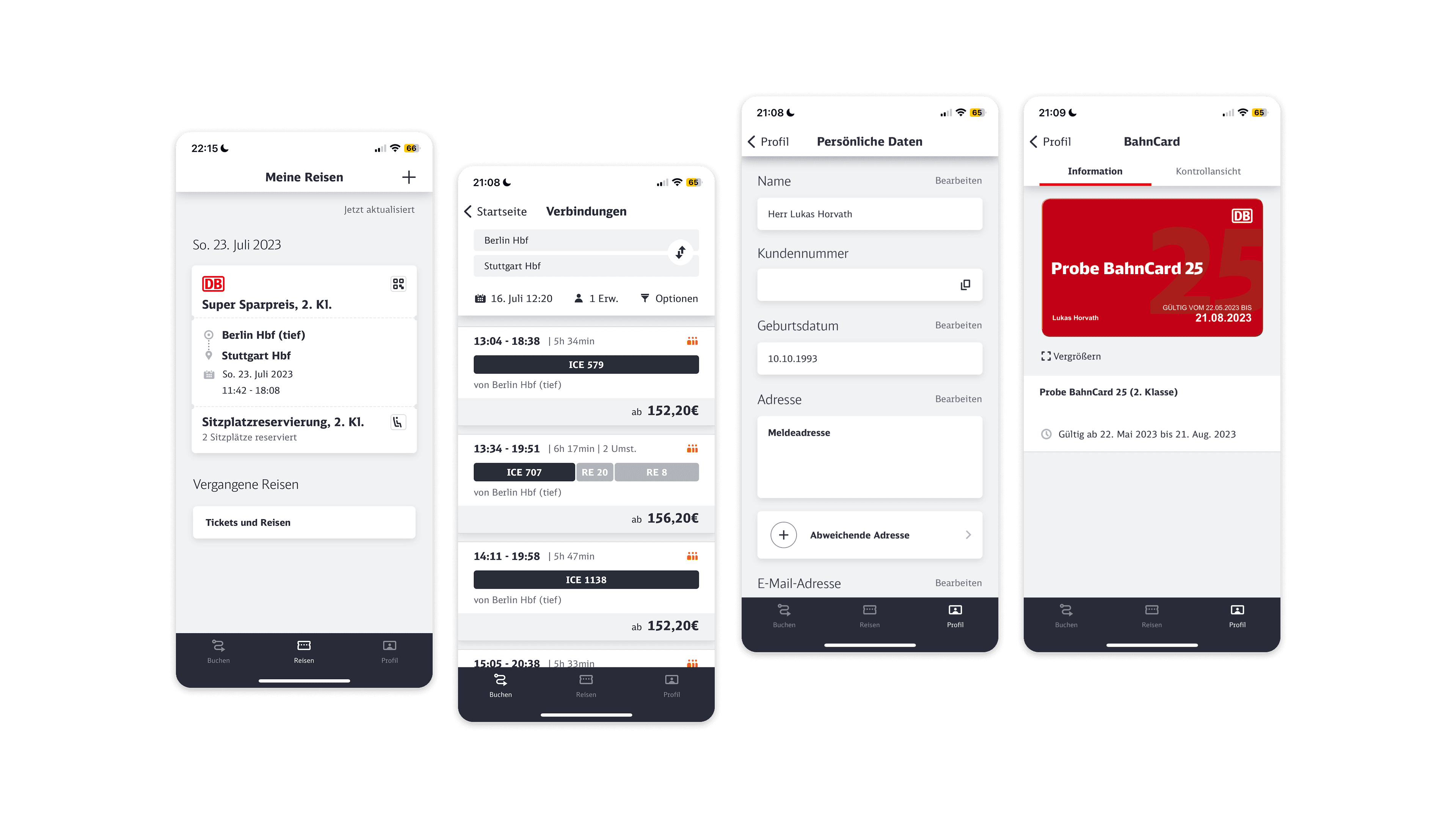
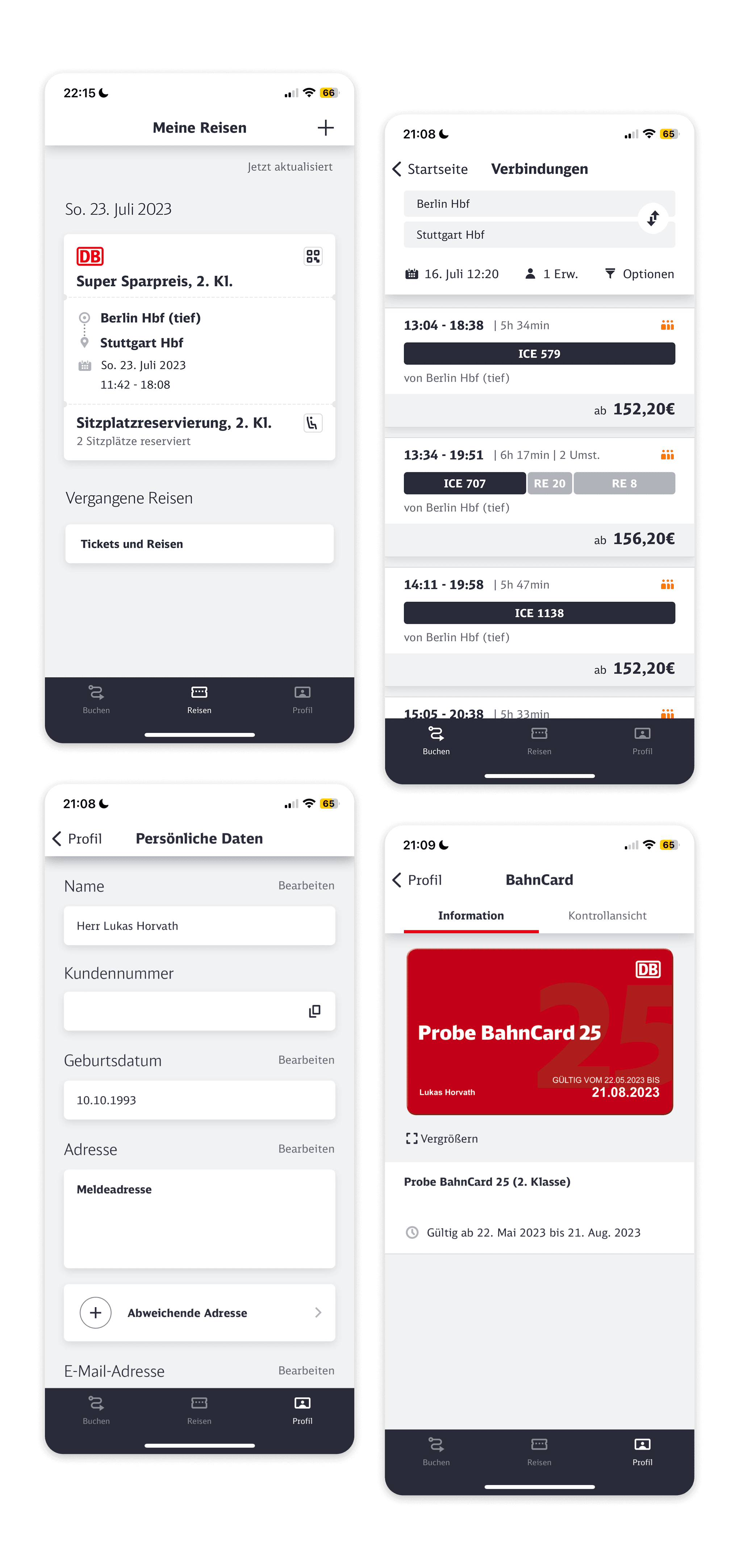
The task was to choose an existing iOS App and redesign it as a native macOS application. I selected the DB Navigator App by Deutsche Bahn, which includes complex features such as connection search, ticket management, and real-time travel updates. These made it a rich and challenging candidate for adapting to the structure of a desktop system.
Context
The task was to choose an existing iOS App and redesign it as a native macOS application. I selected the DB Navigator App by Deutsche Bahn, which includes complex features such as connection search, ticket management, and real-time travel updates. These made it a rich and challenging candidate for adapting to the structure of a desktop system.
Context
The task was to choose an existing iOS App and redesign it as a native macOS application. I selected the DB Navigator App by Deutsche Bahn, which includes complex features such as connection search, ticket management, and real-time travel updates. These made it a rich and challenging candidate for adapting to the structure of a desktop system.
Research & Exploration
To understand how to design for macOS, I began by studying the evolution of desktop interfaces. I examined historical UI systems including classic macOS and Windows, compared them to today’s native desktop apps. This research helped me understand how interaction patterns and information hierarchy have developed over time and which elements are essential for a modern macOS experience.
Research & Exploration
To understand how to design for macOS, I began by studying the evolution of desktop interfaces. I examined historical UI systems including classic macOS and Windows, compared them to today’s native desktop apps. This research helped me understand how interaction patterns and information hierarchy have developed over time and which elements are essential for a modern macOS experience.
Research & Exploration
To understand how to design for macOS, I began by studying the evolution of desktop interfaces. I examined historical UI systems including classic macOS and Windows, compared them to today’s native desktop apps. This research helped me understand how interaction patterns and information hierarchy have developed over time and which elements are essential for a modern macOS experience.


Design Approach
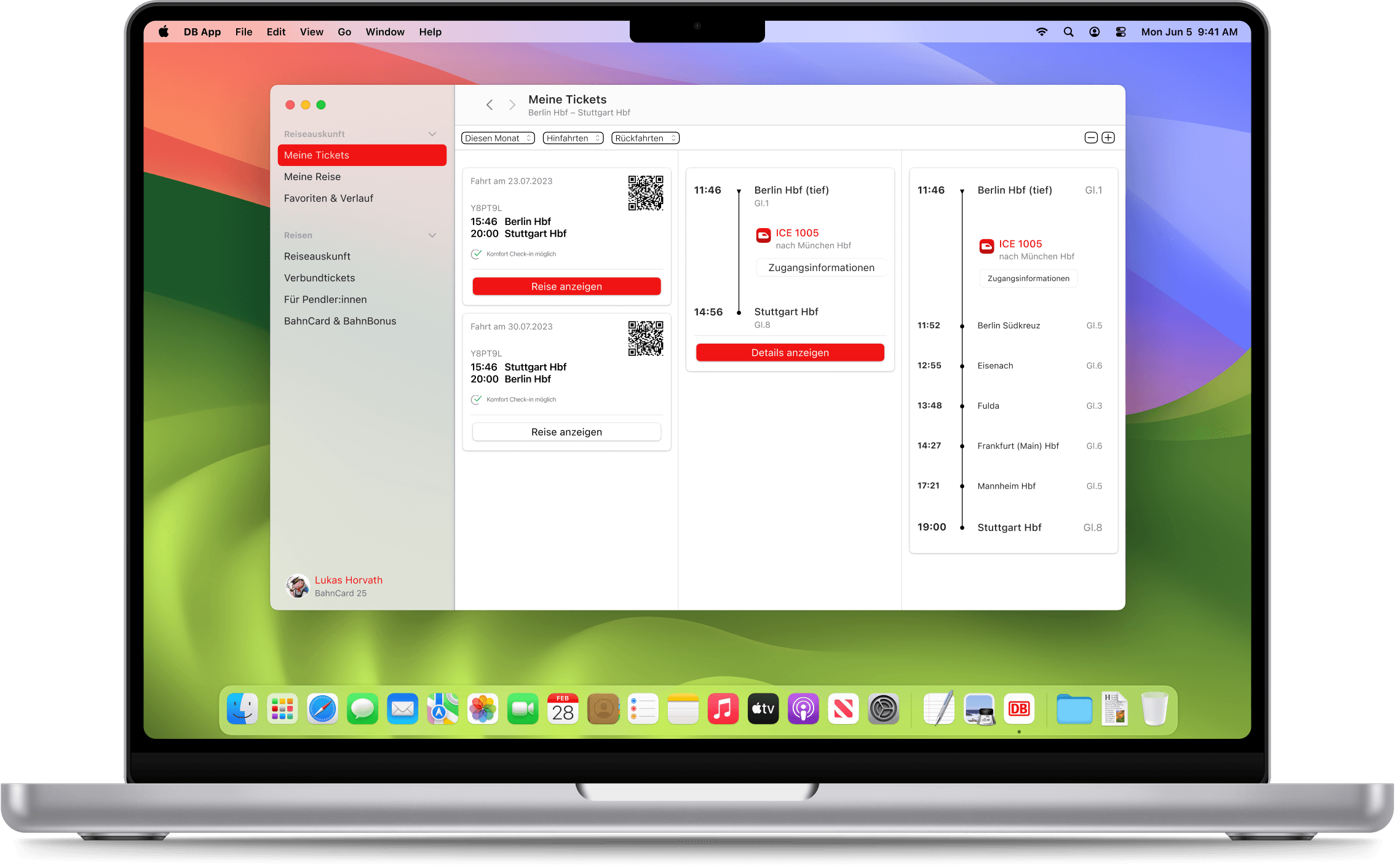
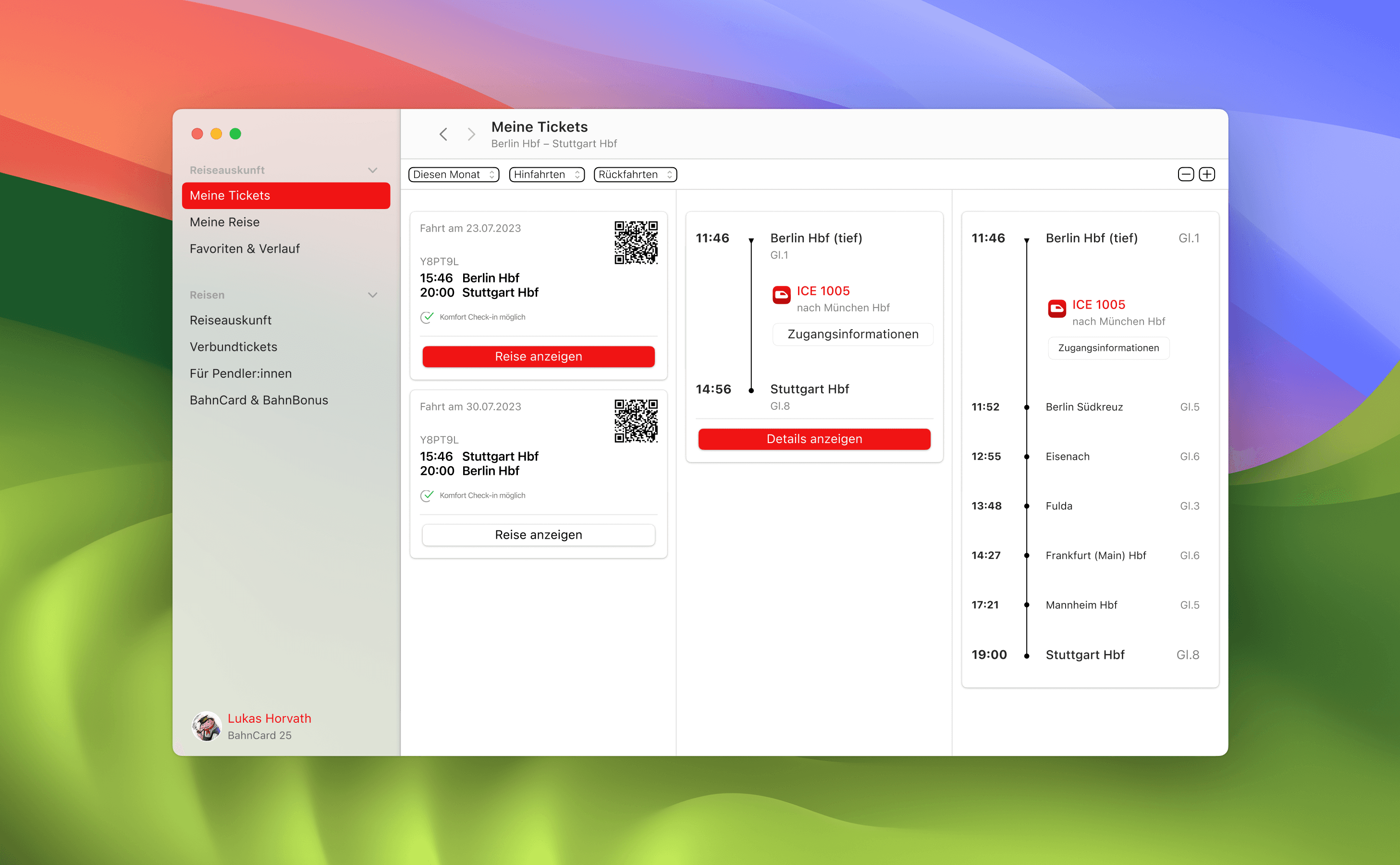
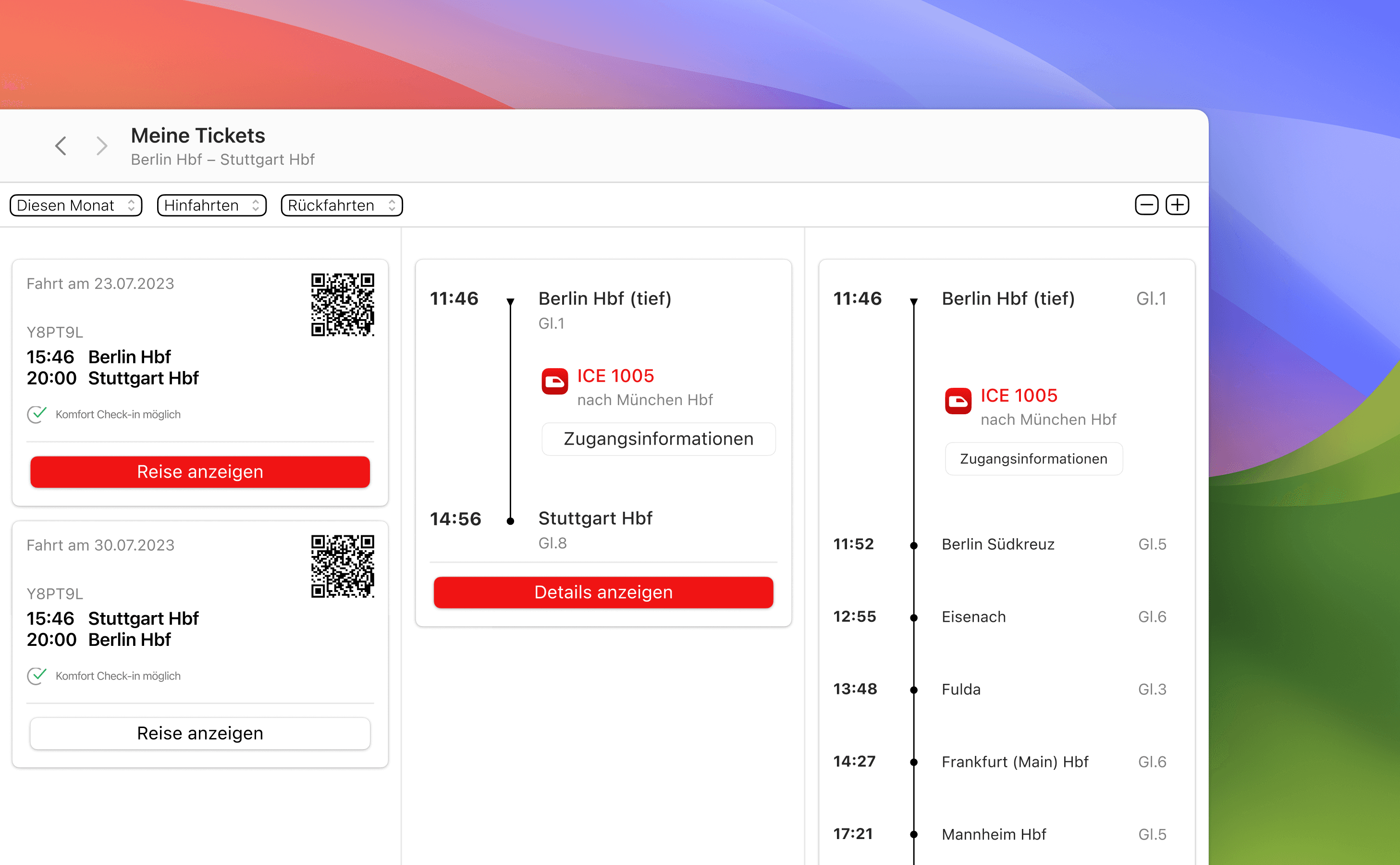
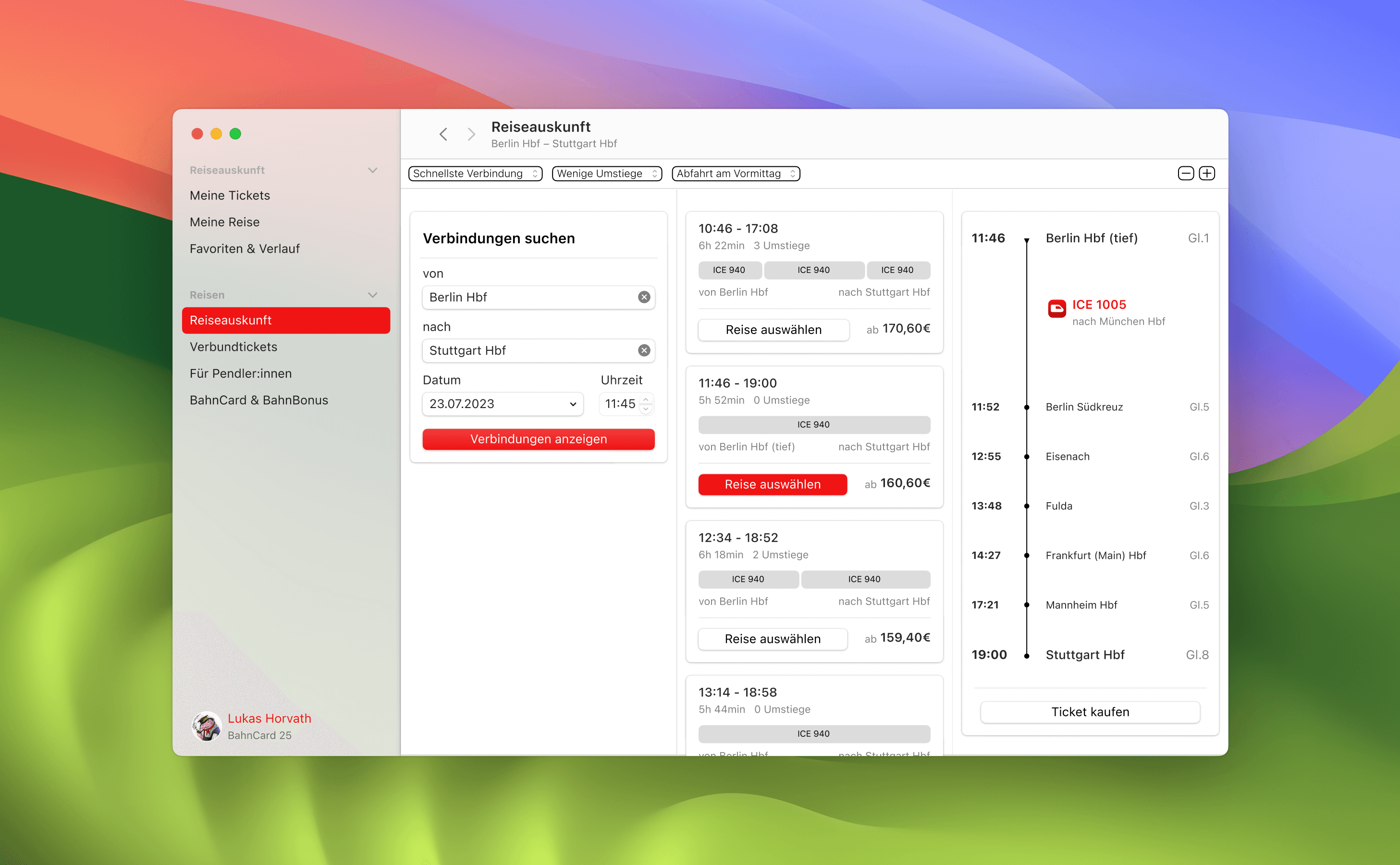
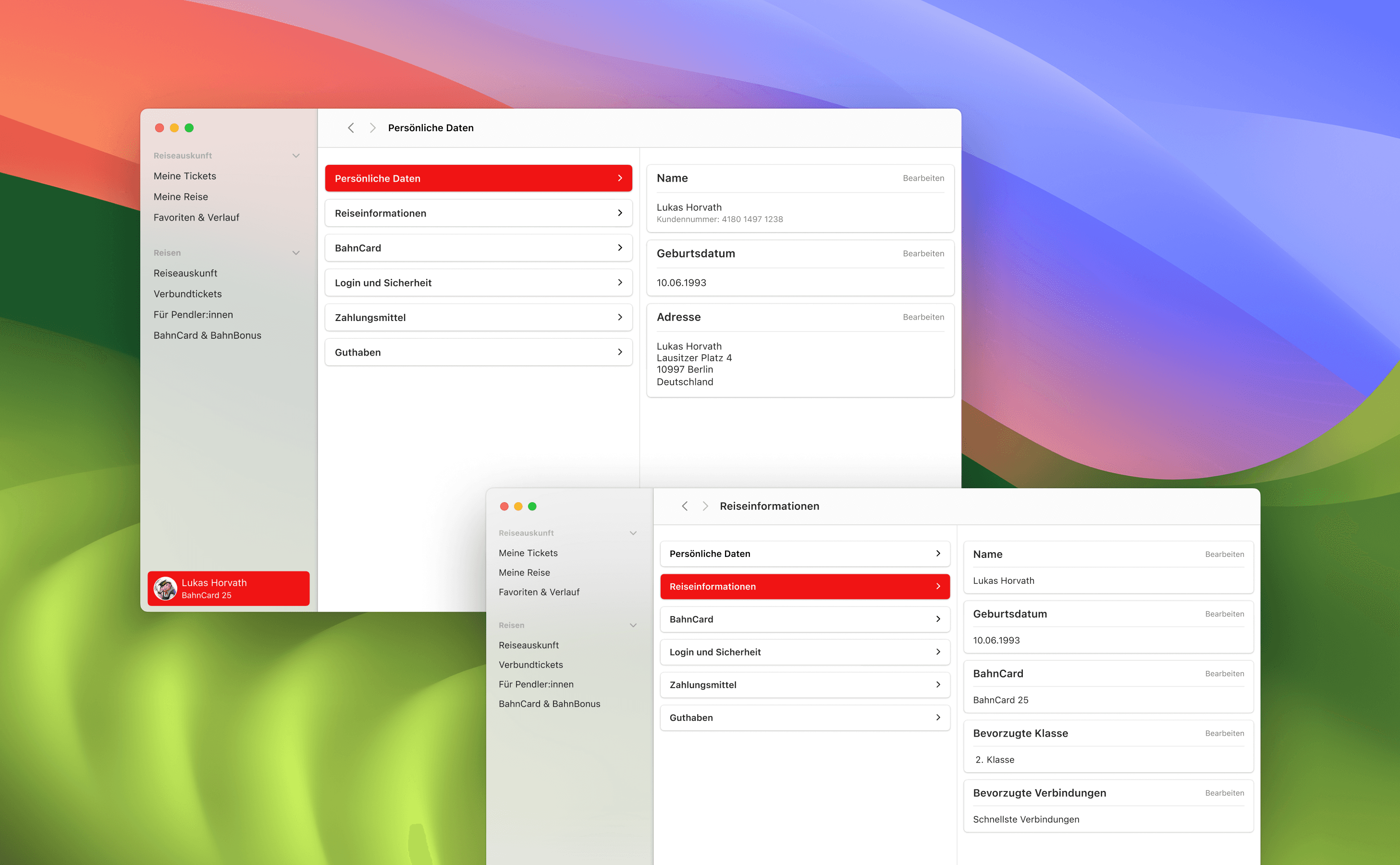
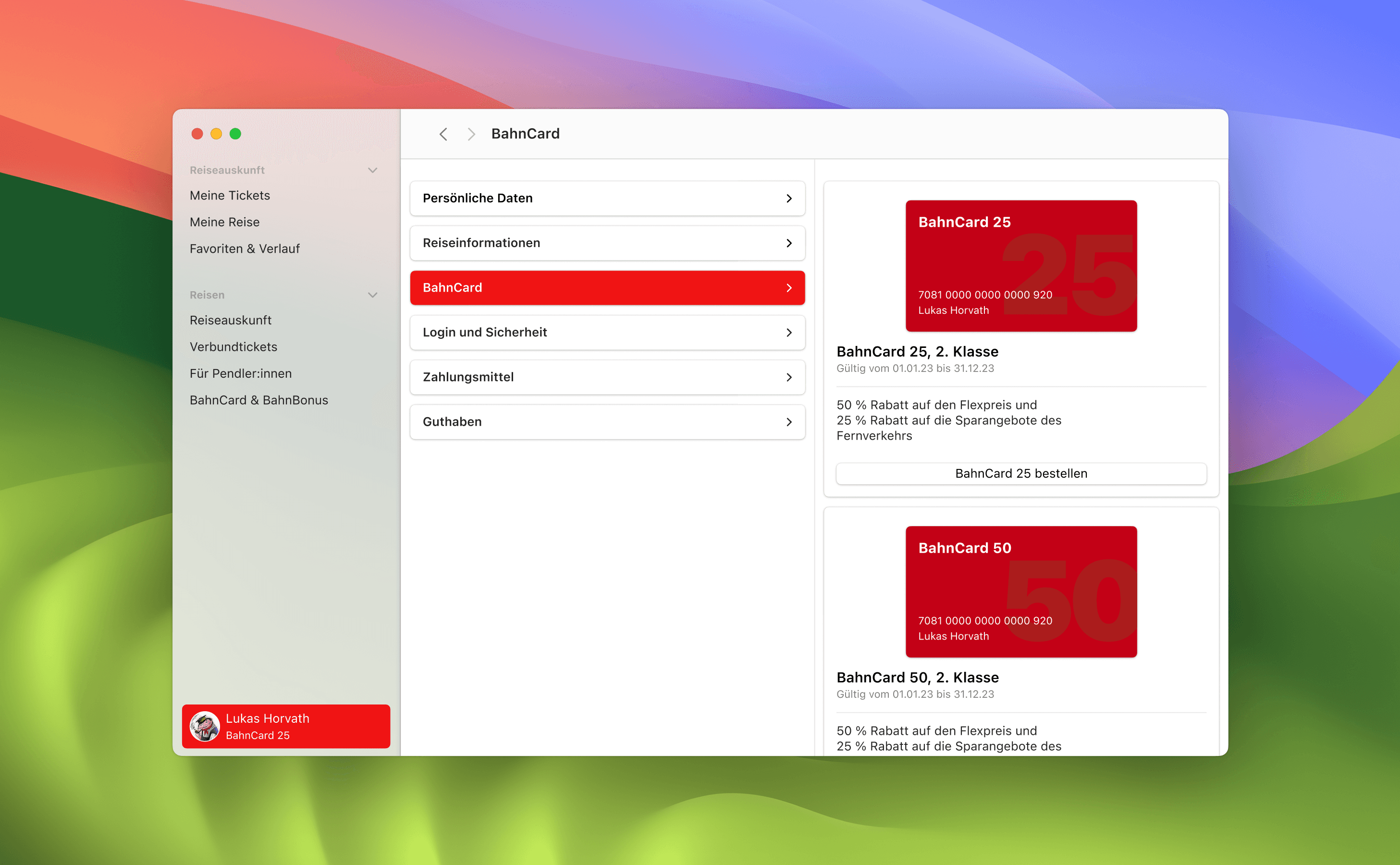
I focused on three core areas of the DB Navigator App: travel information, ticket management, and the user profile. Because macOS applications rely more heavily on horizontal layouts than mobile interfaces, I introduced a column-based navigation structure inspired by the Finder. This allowed for a clear left-to-right flow of interaction, where each step opens in a new column without disrupting the overall layout. Users can always track where they are and backtrack intuitively.
Design Approach
I focused on three core areas of the DB Navigator App: travel information, ticket management, and the user profile. Because macOS applications rely more heavily on horizontal layouts than mobile interfaces, I introduced a column-based navigation structure inspired by the Finder. This allowed for a clear left-to-right flow of interaction, where each step opens in a new column without disrupting the overall layout. Users can always track where they are and backtrack intuitively.
Design Approach
I focused on three core areas of the DB Navigator App: travel information, ticket management, and the user profile. Because macOS applications rely more heavily on horizontal layouts than mobile interfaces, I introduced a column-based navigation structure inspired by the Finder. This allowed for a clear left-to-right flow of interaction, where each step opens in a new column without disrupting the overall layout. Users can always track where they are and backtrack intuitively.



Conclusion
This project marked my first deep dive into desktop interface design. I gained hands-on experience with adapting mobile patterns to desktop logic, understood macOS conventions more deeply, and sharpened my ability to critique and evaluate platform-specific UI decisions. It was a valuable step in broadening my perspective as an interface designer.
Conclusion
This project marked my first deep dive into desktop interface design. I gained hands-on experience with adapting mobile patterns to desktop logic, understood macOS conventions more deeply, and sharpened my ability to critique and evaluate platform-specific UI decisions. It was a valuable step in broadening my perspective as an interface designer.
Conclusion
This project marked my first deep dive into desktop interface design. I gained hands-on experience with adapting mobile patterns to desktop logic, understood macOS conventions more deeply, and sharpened my ability to critique and evaluate platform-specific UI decisions. It was a valuable step in broadening my perspective as an interface designer.